File sharing for seamless collaboration
Collaboration and teamwork are easier than ever with Datto Workplace, Kaseya's enterprise file sync and share (EFSS) solution. Keep files accessible and protected across users and locations with secure, efficient sharing and strong safeguards.

Sync and share files securely
Datto Workplace is designed to combat the risks of file sharing in hybrid workforces by keeping data protected as users collaborate across in-office and remote locations.
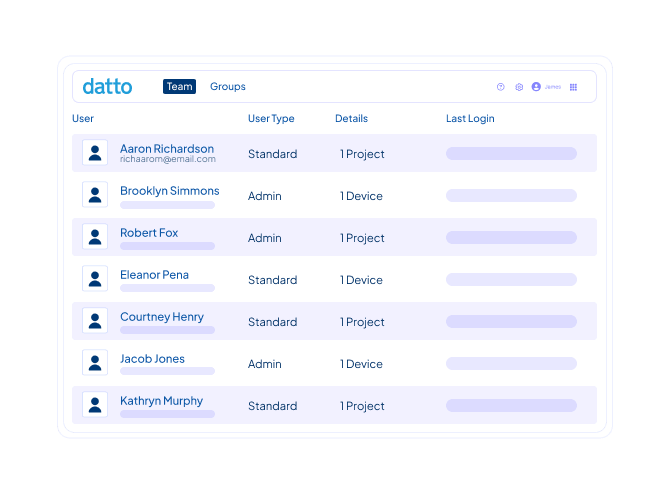
Work on any device, anywhere
Access your files in real time, wherever they’re stored — on-prem or in the cloud. Work from desktop, web or mobile across Windows, macOS, iOS, Android and Windows Server. Swap legacy tools like VPN and FTP with Datto Workplace for a faster, more secureway to collaborate.
“Datto Workplace enables us to do things like role-based access control (RBAC) security, centralized management and device wipe — all the things that professional IT needs to do to manage data effectively. That’s not possible with other products.” Bob Pankratz, Founder and CEO, TechNosis
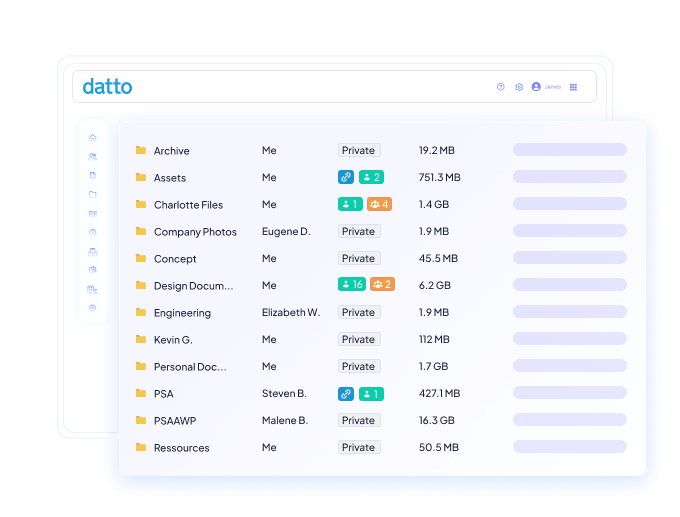
Detect threats proactively
Stop ransomware and malware from turning file sync and share into a disaster zone. When you run continuous scans, suspicious uploads and change patterns are immediately flagged and affected files are automatically quarantined. Admins are notified immediately and content is reverted to a clean state fast.
“The home network is more vulnerable, we needed a product that allows us to bring the level of security to the home. It’s been a great partnership from the start.” Terry Bryson, Owner, The Local Guy
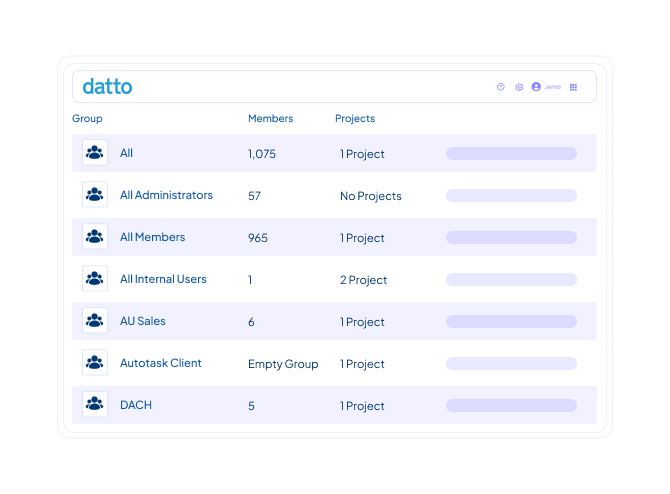
Maintain security and compliance
Keep files protected and audit-ready with secure cloud infrastructure that boasts 99.99% uptime, 256-bit data at rest and in transit encryption, geo-redundant data centers, role-based access control (RBAC), PII scans and native compliance with HIPAA, GDPR and SOC 2.
“It was a game changer for our customers, enabling them to seamlessly replicate data over several locations and the cloud. It is easy to deploy and has many useful features and most importantly, ‘it just works.’ It is simple and easy to use, and this is what people want and need.” Alex Eissler, Director of Operations, Vicinity
Go beyond file sharing

Policy-based access controls
Configure granular, policy-driven controls that give the right users the right level of access. Set individual and group-based permissions across clients or teams, manage feature sets and control who can reshare files or create public links.

Gestión centralizada
Manage every file sharing deployment from a single multi-tenant cloud portal for full admin control. Track teams and storage, handle licensing, adjust settings for automated alerts and reports and configure integrations without jumping between tools.

180-day file versioning
Roll back mistakes and compromised files without hunting through backups. Every time a file changes, a new version is created automatically and retained for six months. It’s easy to recover a previous state if files are accidentally deleted, altered or corrupted.

Workflow integrations
Ease adoption and enhance how teams already work with deep integrations into Microsoft 365, Teams and Outlook. Connect Active Directory and SAML 2.0 SSO to automate on- and offboarding and sync with PSA and RMM tools for streamlined ticketing and management

Hybrid work enablement
Bridge the office and the cloud with the optional Workplace Server component, which extends file servers and network-attached storage (NAS) to remote and mobile users. File locking and conflict management keep in-office and remote teams in sync as they collaborate.

Comprehensive reporting
Capture detailed activity summaries that cover configuration changes, user actions, file and folder management, sharing and more. Save customized reports, schedule them for email delivery or unify reporting across existing solutions through integration with myITprocess.
Nuestro compromiso
Los Servicios Globales de Kaseya te ayudan a sacar el máximo partido a tus soluciones tecnológicas, mejorar el rendimiento y alcanzar tus objetivos empresariales.
Explorar los servicios profesionalesDirect to Tech™ de Kaseya ofrece un servicio de asistencia rápida y de nivel experto para ayudar a su empresa a resolver rápidamente los problemas y minimizar los riesgos.
Descubre el servicio de atención al clienteEl compromiso Partner First de Kaseya es una promesa de condiciones flexibles, riesgo compartido y soporte dedicado para tu negocio.
Explorar Partner FirstLo que dicen nuestros clientes
Historias reales, éxito real. Vea cómo prosperan los socios de negocio de Kaseya

Blackline IT: Proteger a las personas, no sólo los sistemas
Leer Caso de Estudio →
Diseñado para durar: cómo Astute convirtió la eficiencia en un crecimiento predecible
Leer Caso de Estudio →
Construido con determinación: cómo NEXTGen IT convierte los desafíos en oportunidades de recuperación
Leer Caso de Estudio →Frequently asked questions about enterprise file sync and share
Enterprise file sync and share (EFSS) is a type of software that lets users store, access and collaborate on business files across devices and locations while keeping that data secure. Unlike consumer file sharing apps, EFSS solutions are built for organizational use with centralized administration, permissions and compliance safeguards.
The benefits of EFSS generally fall into three categories:
- Productivity: Teams get consistent access to files from any device or location. This removes the friction of emailing attachments, maintains VPN connections and aids in tracking down the latest version of a document.
- Security: IT gets centralized control over who can see, edit and share each file. Plus encryption, threat detection and compliance features reduce the risk of data loss or exposure.
- Visibility: Leadership gets insight into how information moves through the business, which supports audits, investigations and regulatory reporting.
When evaluating an EFSS solution, look for capabilities that address both day-to-day collaboration and long-term risk. Key things to prioritize include broad device and OS support, granular permission controls, strong encryption standards and compliance certifications relevant to your industry. Built-in ransomware detection, file versioning and audit logging are essential for recovery and governance, while integrations with tools like Microsoft 365, Active Directory and your PSA or RMM keep administration efficient. MSPs should also look for multi-tenancy, flexible billing and reliable vendor support.
EFSS and cloud storage are related, but different. Cloud storage is primarily about keeping files in a remote location so they can be accessed later. It’s like a digital filing cabinet. EFSS builds on that foundation by adding the collaboration, synchronization and governance layers that businesses need.
¿Listo para empezar?
Request a demo to see how Datto Workplace enables secure file sharing for any business.