Intune Device Management enhancements
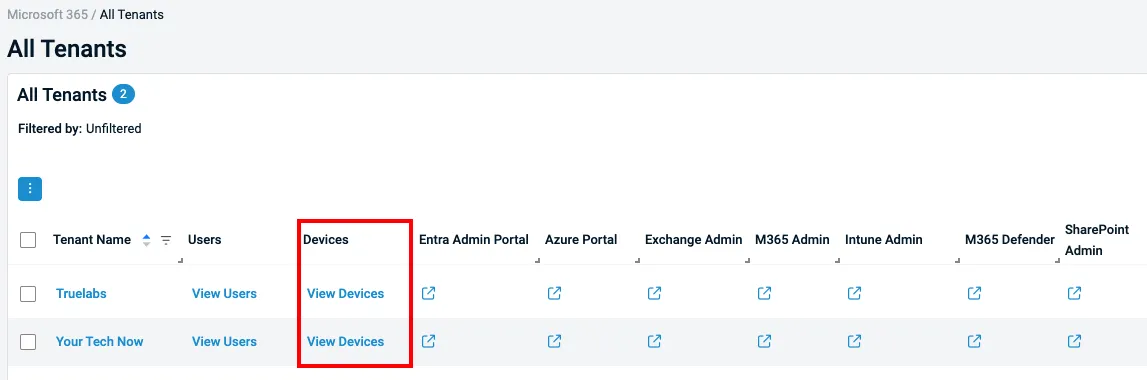
Datto RMM now delivers an improved Intune device management experience, starting with a new View Devices table in the All Tenants view for quicker access to tenant-specific devices.
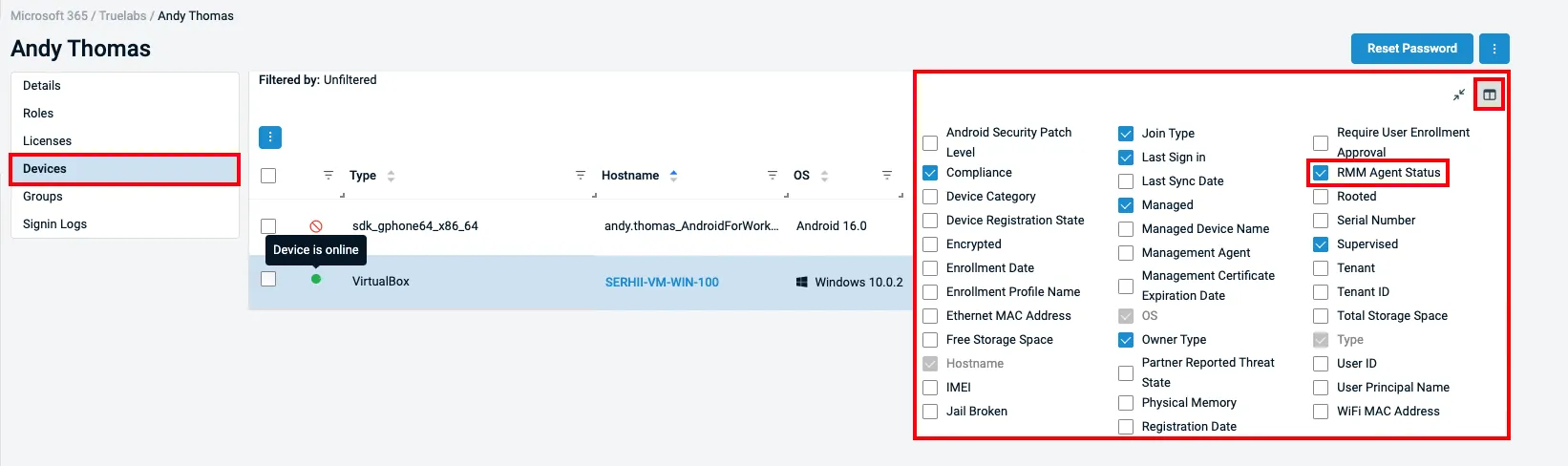
Administrators can also surface the RMM Agent Status column to instantly see whether the Datto RMM agent is installed, online, offline, unsupported or not present on enrolled Windows devices.
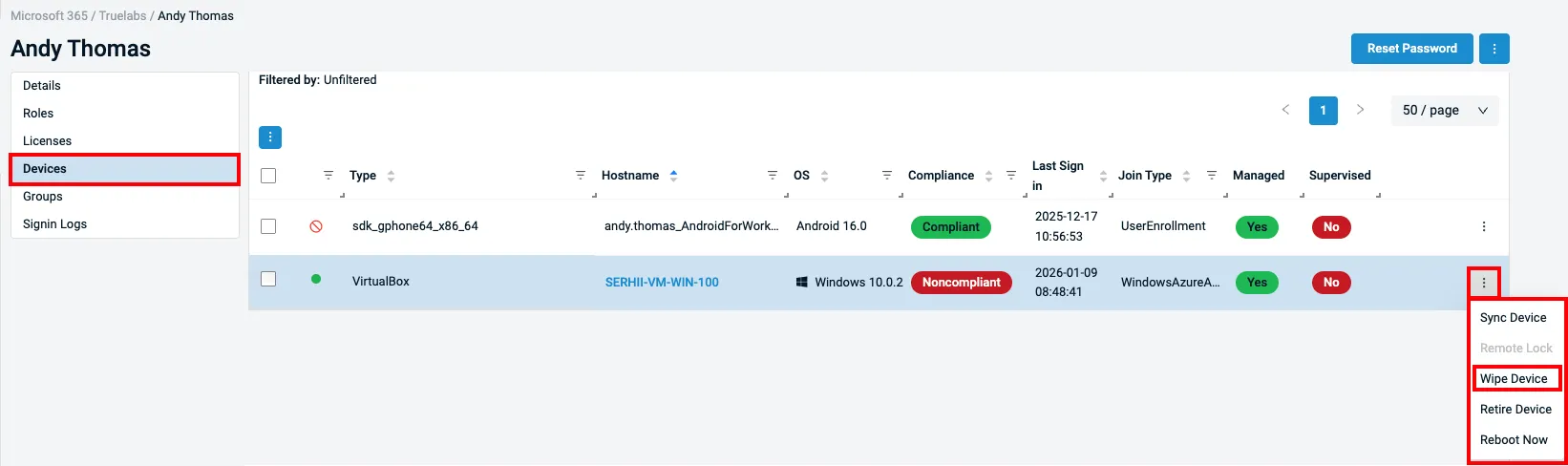
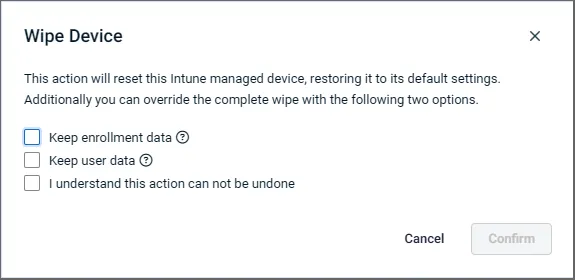
Device actions and visibility have been expanded with additional wipe options that better match real-world recovery and deprovisioning scenarios, including preserving enrollment data or user data when resetting devices.
Improved interlinking now takes users directly from Intune devices to the Datto RMM device card when the agent is installed, and updated compliance naming aligns terminology with Intune standards for a more consistent management experience.
Learn more about Microsoft 365 integration into Datto RMM here.
One Complete Platform for IT & Security Management
Kaseya 365 is the all-in-one solution for managing, securing, and automating IT. With seamless integrations across critical IT functions, it simplifies operations, strengthens security, and boosts efficiency.

Microsoft security challenges: How to protect your business, data and identity
Discover the biggest Microsoft security challenges and learn practical strategies to protect your users, data, identities and business from evolving threats.
Read more
How MSPs could become a ‘critical supplier’ under new UK legislation
Learn how MSPs could be affected by the CSRB legislation – as a designated critical supplier (DCS). And how MSPs that address security gaps with the right tools will be in a strong position to offer Compliance as a Service (CaaS) to their clients.
Read more
Email security under NIS2
Explore how NIS2 is raising the importance of email security and how AI-powered threats and tools are reshaping cyber resilience.
Read more