QBR report builder: Cover page customization
myITprocess now lets you fully customize the QBR Report Builder cover page so every client presentation matches your brand and messaging.
You can upload your own background image, control blur levels, change the displayed organization name, update the report description and choose a custom font color for all cover text. These options give you precise control over how each report looks without exporting to external design tools.
With consistent, on-brand cover pages across clients, your team can deliver polished, professional QBRs, reinforce your identity and make a stronger impression.
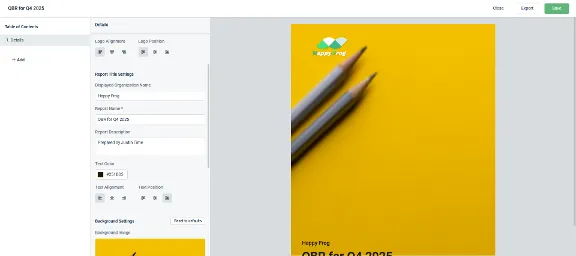
Learn more about QBR report builder cover page customization for myITprocess here.
One Complete Platform for IT & Security Management
Kaseya 365 is the all-in-one solution for managing, securing, and automating IT. With seamless integrations across critical IT functions, it simplifies operations, strengthens security, and boosts efficiency.

Microsoft security challenges: How to protect your business, data and identity
Discover the biggest Microsoft security challenges and learn practical strategies to protect your users, data, identities and business from evolving threats.
Read more
How MSPs could become a ‘critical supplier’ under new UK legislation
Learn how MSPs could be affected by the CSRB legislation – as a designated critical supplier (DCS). And how MSPs that address security gaps with the right tools will be in a strong position to offer Compliance as a Service (CaaS) to their clients.
Read more
Email security under NIS2
Explore how NIS2 is raising the importance of email security and how AI-powered threats and tools are reshaping cyber resilience.
Read more