SaaS Alerts now includes a PSA Organization Mapping Report that brings all PSA connection details into one place. This report makes it easy to see which organizations are mapped, how they are linked to your PSA and whether related agreement features are enabled.
Each row shows the SaaS Alerts (SA) organization ID and name alongside the corresponding PSA organization name and ID, as well as the current mapping status. Additional columns show agreement mapping status, agreement name, ticketing status and billable user sync status. In-page search, column filters and export options make it easy to analyze or share the data as needed.
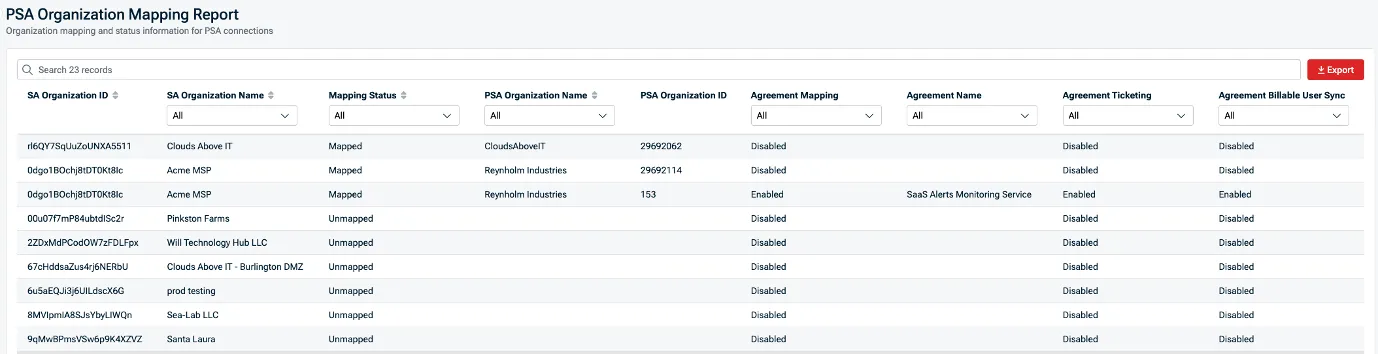
With this report, your team can quickly identify unmapped organizations, disabled agreement mappings, or ticketing and billing sync issues — and fix configuration issues before they impact alert routing, billing or reporting.
Sign into SaaS Alerts to use the PSA organization mapping report now.