Datto EDR and Datto AV now include a Datto Endpoint User Interface that brings clear security status straight to the desktop. End users can easily see that EDR and AV are active on their devices, helping reduce uncertainty and giving them more confidence that they’re protected.
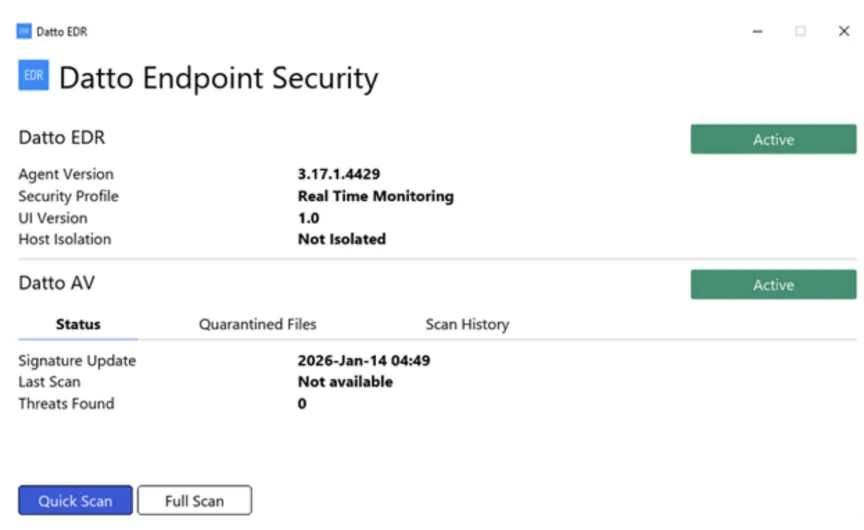
On Windows devices, a new system tray icon shows real-time agent status for both EDR and AV, giving simple visual confirmation that protection is running. From the tray menu, users can open the full desktop interface to view protection details and initiate a Datto AV scan on demand, without needing to contact IT for basic reassurance.
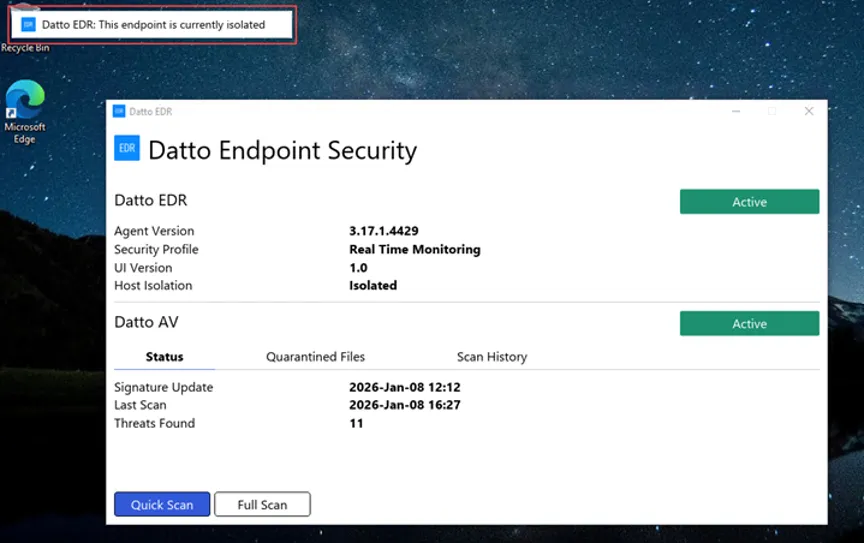
New in-app banners let users know when Datto AV has quarantined a file or when Datto EDR has isolated a device, so they understand why behavior or access might have changed. These messages only appear when the desktop UI is open or minimized and do not allow users to take remediation actions, keeping control of IT while improving transparency and reducing confusion at the endpoint.
Learn more about endpoint user interface for Datto EDR and Datto AV here.