Intune Device Management enhancements
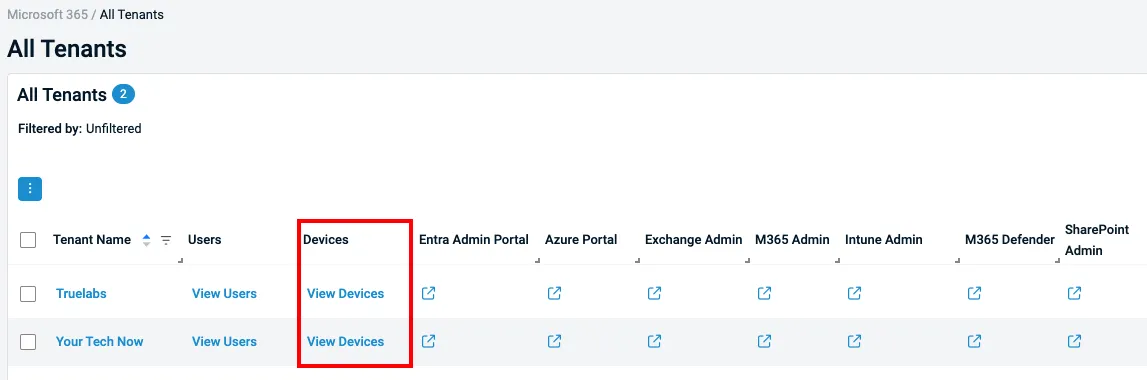
Datto RMM now delivers an improved Intune device management experience, starting with a new View Devices table in the All Tenants view for quicker access to tenant-specific devices.
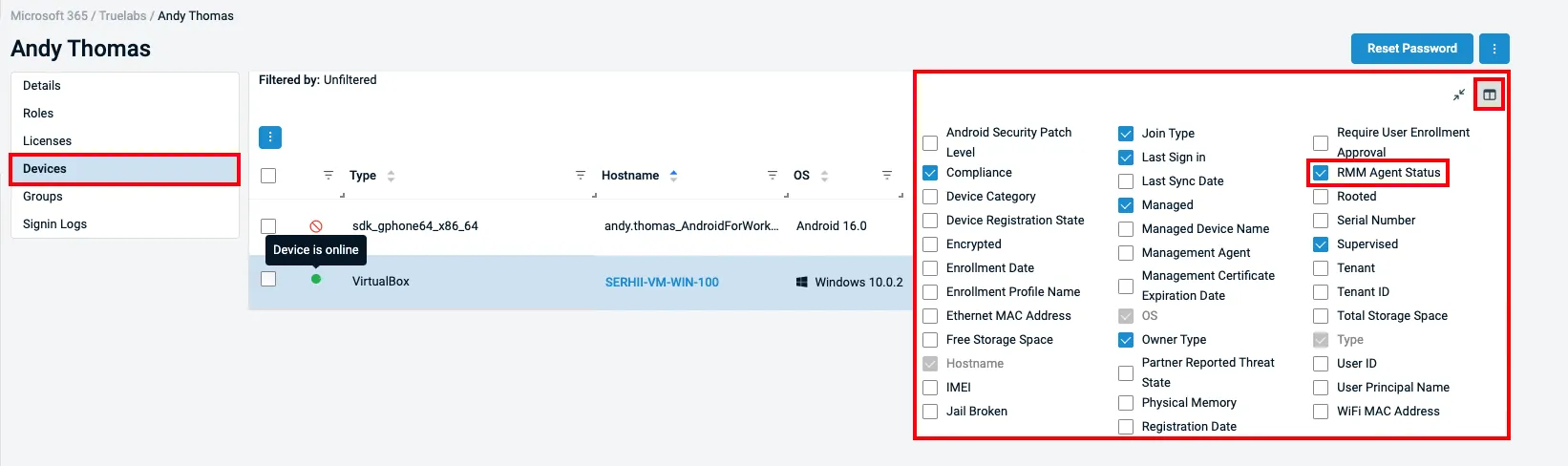
Administrators can also surface the RMM Agent Status column to instantly see whether the Datto RMM agent is installed, online, offline, unsupported or not present on enrolled Windows devices.
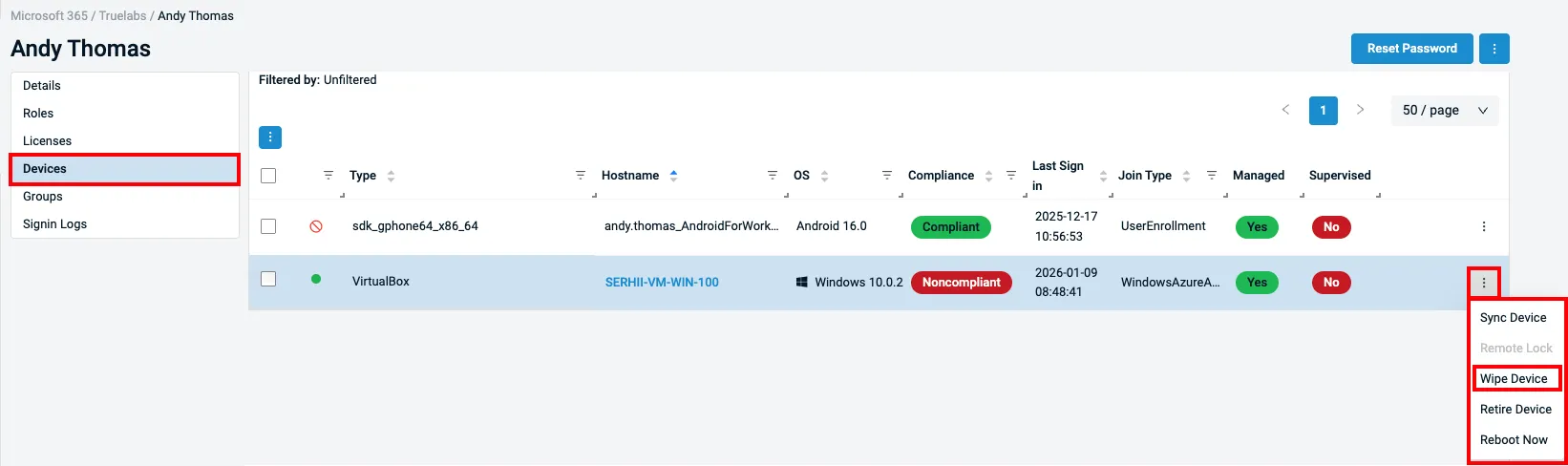
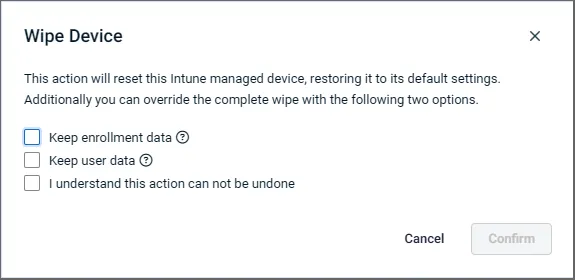
Device actions and visibility have been expanded with additional wipe options that better match real-world recovery and deprovisioning scenarios, including preserving enrollment data or user data when resetting devices.
Improved interlinking now takes users directly from Intune devices to the Datto RMM device card when the agent is installed, and updated compliance naming aligns terminology with Intune standards for a more consistent management experience.
Learn more about Microsoft 365 integration into Datto RMM here.
One Complete Platform for IT & Security Management
Kaseya 365 is the all-in-one solution for managing, securing, and automating IT. With seamless integrations across critical IT functions, it simplifies operations, strengthens security, and boosts efficiency.

Is this email safe? INKY Smart Insights answers in seconds
INKY Smart Insights gives IT teams a plain-language verdict with cited evidence on flagged emails, cutting manual investigation time from 10 minutes to 5 seconds.
Read now
Fake voicemails, real malware: Inside a 26,000-email SVG smuggling campaign
Attackers disguised malicious JavaScript as voicemail attachments across 26,589 emails targeting 5,527 organizations. Here's how the SVG smuggling campaign worked — and how INKY caught every one.
Read now
What sets the world's top MSPs apart?
Three-quarters of MSP 501 winners list security as a top revenue driver. We asked a six-time honoree what it actually takes to make the list — here's what separates the best from the rest.
Read now