Bracketed Subject condition for outbound rules
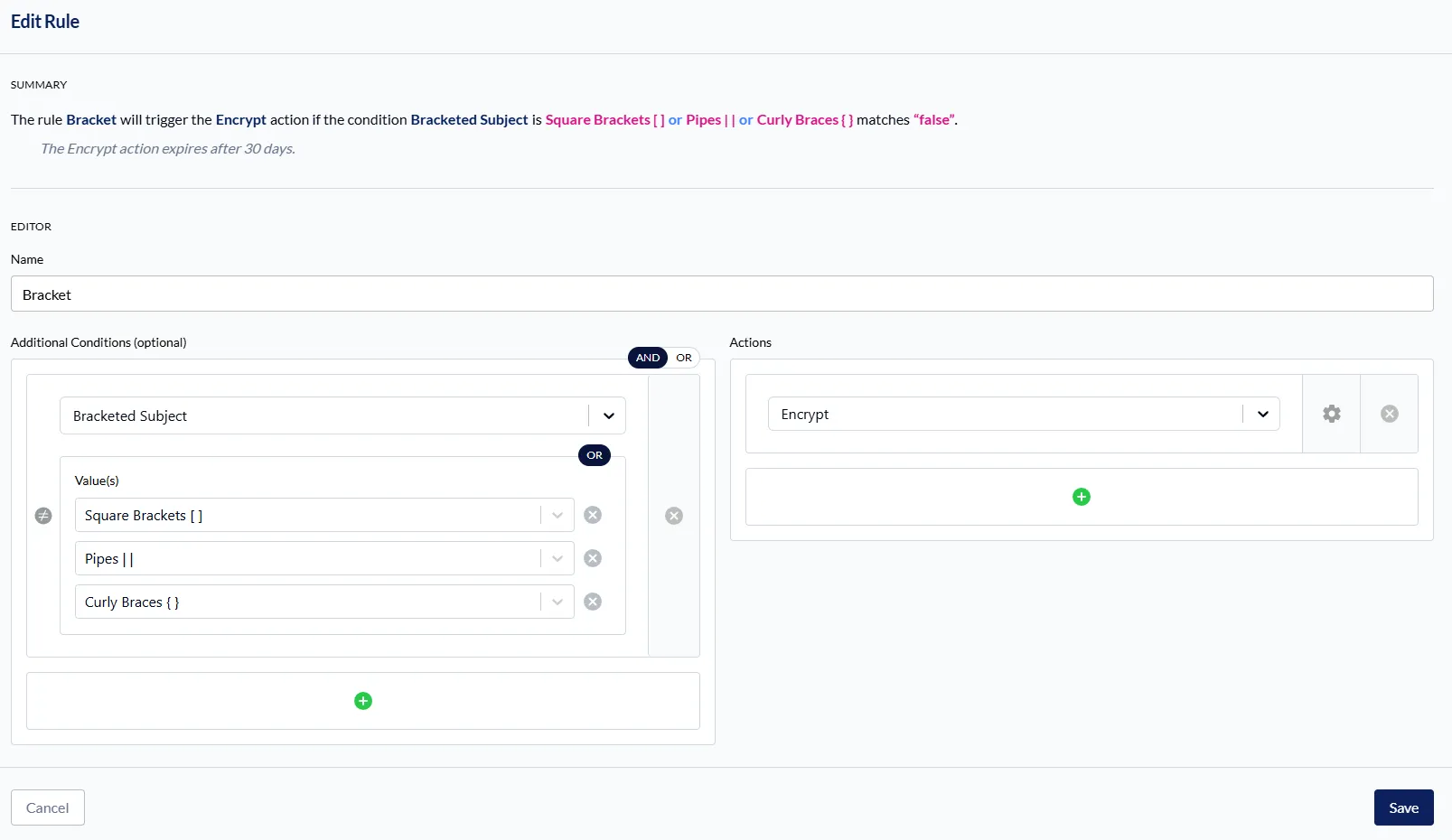
Bracketed Subject is now available as a condition option when editing workflow rules that define actions for outbound messages. This condition matches subject lines wrapped in a chosen bracket style, a common convention used by many senders when requesting message encryption.
-
Choose which bracket style the rule matches: square brackets [ ], pipes | | or curly braces { }. Select more than one style, and the subject matches if it uses any of them. Because a subject has only one outermost pair, these options combine with OR only, and the rule editor displays a static OR badge in place of the AND/OR toggle.
-
The entire subject must be wrapped in the style you select.
-
Reply and forward prefixes are stripped before matching, so a reply within an encrypted thread continues to match the rule.
Learn more about workflow configuration rules and see examples in INKY here.
One Complete Platform for IT & Security Management
Kaseya 365 is the all-in-one solution for managing, securing, and automating IT. With seamless integrations across critical IT functions, it simplifies operations, strengthens security, and boosts efficiency.

Fake voicemails, real malware: Inside a 26,000-email SVG smuggling campaign
Download now
What sets the world's top MSPs apart?
Download now
Microsoft security challenges: How to protect your business, data and identity
Discover the biggest Microsoft security challenges and learn practical strategies to protect your users, data, identities and business from evolving threats.
Download now