Device card registry editor
The Registry Viewer command (introduced in update 10.21) has been updated and renamed to Registry Editor. It is accessible from the Manage section of the device details pane and provides the following new remote device management functions:
- Search a device’s registry for a specific hive or key.
- Create, update and delete registry keys and values.
- Back up the entire registry or individual keys by exporting to a .reg file.
- Import a registry backup from a .reg file.
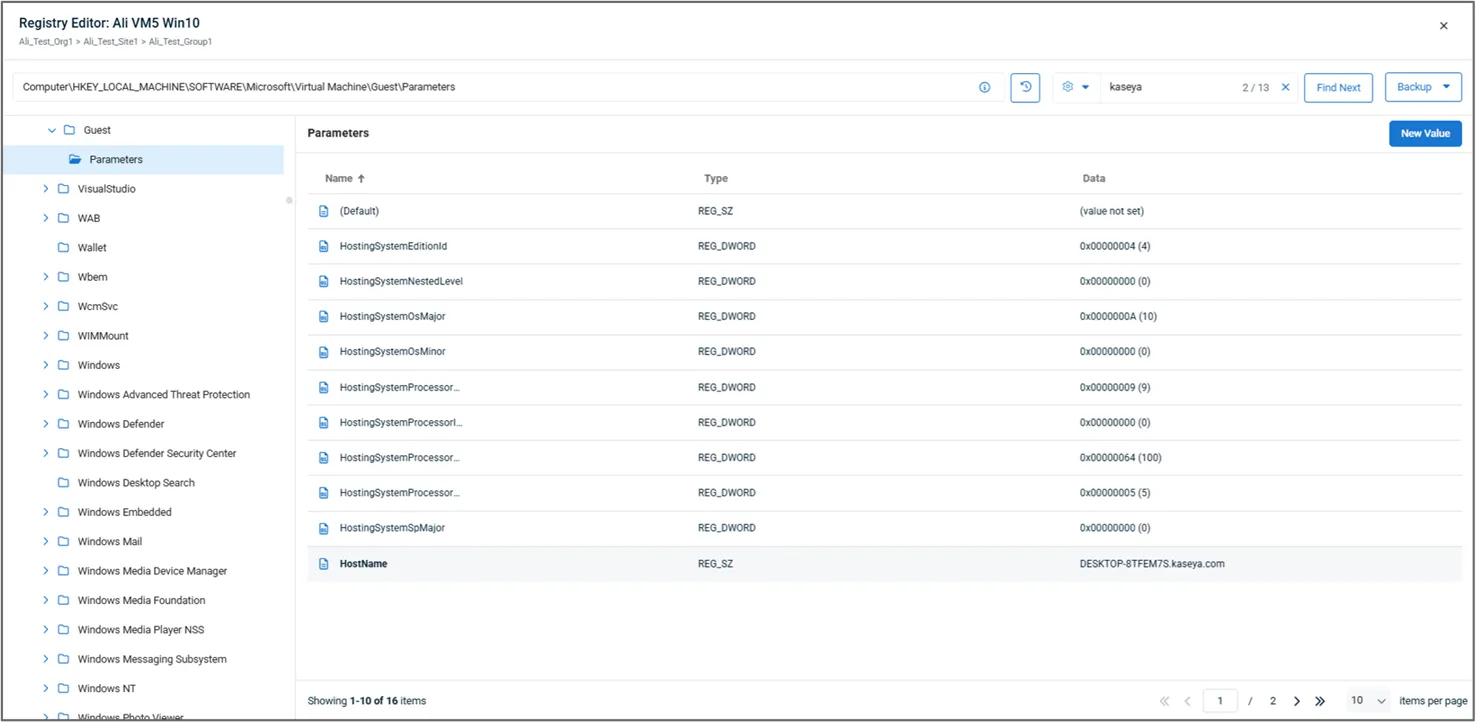
The Registry Editor can be accessed from the Manage section of the device card for any online Windows devices. Selecting it will open a pop-up window containing the following elements:
Key Navigation (left pane): Manually navigate registry hives and keys. Hovering over a key displays contextual action to rename or delete the key, create a new key or value, or export the key to a registry (.reg) file. On selecting a key, its full path will be displayed in the path box at the top of the page. You may copy the path to clipboard or paste a path directly to avoid manual navigation.
Navigation History: Displays the last 10 selected key paths (per technician) for quick renavigation.
Values (right pane): Displays a paginated list of values within the selected key. Hover actions can be used to edit or delete values, with a New Value option available in the upper-right corner of the pane.
Find box: Search for a string value across the whole registry or within a selected key or hive. A pop-up window will show how many matches are found and Find Next can be used to navigate to each of them one by one. Find options (gear icon) can be used to select data types to search and optionally specify an exact match.
Note: Searching the entire registry may take up to one minute.
Backup: Import a registry (.reg) file to the device or export the whole registry or selected branch.
Learn more about the device card registry editor in the v10.22 update here.
One Complete Platform for IT & Security Management
Kaseya 365 is the all-in-one solution for managing, securing, and automating IT. With seamless integrations across critical IT functions, it simplifies operations, strengthens security, and boosts efficiency.

Is this email safe? INKY Smart Insights answers in seconds
INKY Smart Insights gives IT teams a plain-language verdict with cited evidence on flagged emails, cutting manual investigation time from 10 minutes to 5 seconds.
Read now
Fake voicemails, real malware: Inside a 26,000-email SVG smuggling campaign
Attackers disguised malicious JavaScript as voicemail attachments across 26,589 emails targeting 5,527 organizations. Here's how the SVG smuggling campaign worked — and how INKY caught every one.
Read now
What sets the world's top MSPs apart?
Three-quarters of MSP 501 winners list security as a top revenue driver. We asked a six-time honoree what it actually takes to make the list — here's what separates the best from the rest.
Read now