Salesforce backup for securing critical CRM data
Secure your organization's records, objects, metadata, files, customizations and more with Spanning, Kaseya's cloud-to-cloud backup and restore for Salesforce. It’s easier than ever to recover customer and prospect data, so sales and service won’t get disrupted when data loss happens.
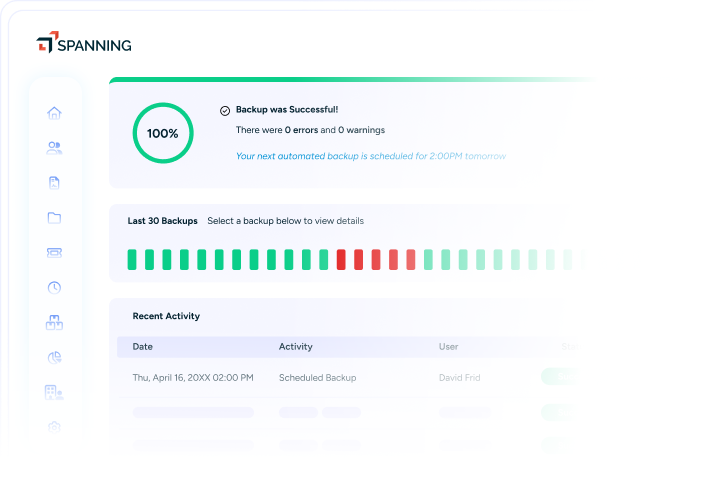
Salesforce data integrity, availability and continuity
Spanning Backup for Salesforce helps keep revenue flowing and your pipeline intact with streamlined backup, quick recovery and enterprise-grade data protection. Manage your data with a proven solution that integrates seamlessly into the Salesforce interface.
Automate routine backup
Automatic backups let you skip the hassle and wasted time of backing up your data manually. Capture changes within your Salesforce org without disrupting user workflows, so your team stays focused on strategic initiatives that drive business growth.
“What I like best is how reliable and low maintenance it is. Once set up, backups run automatically without needing constant attention. The interface is clean and easy to navigate, and restoring data is straightforward. It provides strong peace of mind.” Emmanuel Isineyi, Technical Support Administrator, Ergea Uk and Ireland Limited
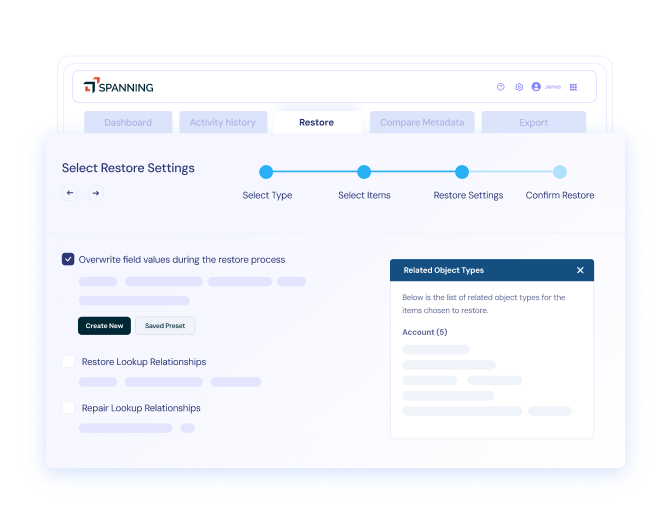
Restore data and metadata with ease
Recover what you need, from individual record fields to full org snapshots, in a matter of minutes. Easily locate items or datasets in any point-in-time backup with granular search. Then, run metadata comparisons and restore to your live instance without risking data duplication.
“In a large company, mistakes are going to be made. But with Spanning, data loss is no big deal. I can go back and look at the information at any given time and restore it. I don’t even have to think about it. That was huge for me.” Stephanie Herrera, Director of Salesforce and Business Systems, Spredfast
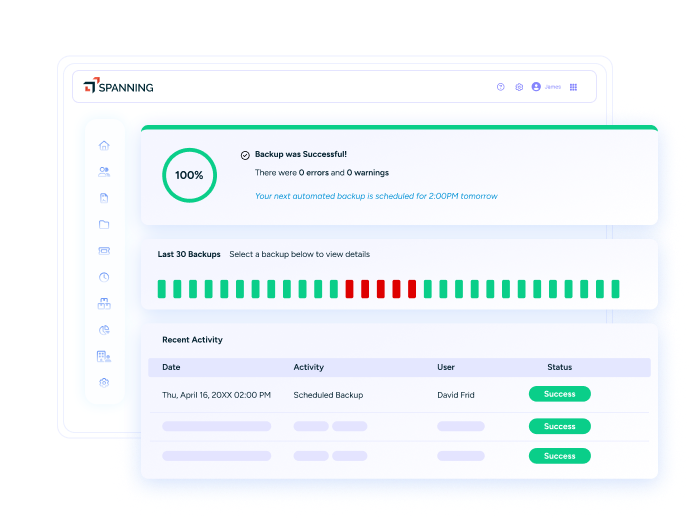
Keep data safe, secure and compliant
Reduce risk exposure through data encryption, permission-based controls and tamper-resistant activity history. Consistently meet security and compliance expectations with a Salesforce backup and restore solution that is certified for GDPR, SOC 2 Type II, ISO 27001 and more.
“I like that Spanning Backup is easy to use and set up only took a few minutes. It runs automatically in the background, making it hassle-free since there's no need to worry about missing backups. We use it to protect our cloud data and quickly restore files, and it helps us against accidental data loss” Rokas Ambroza, Account Executive, RoyaltyRange
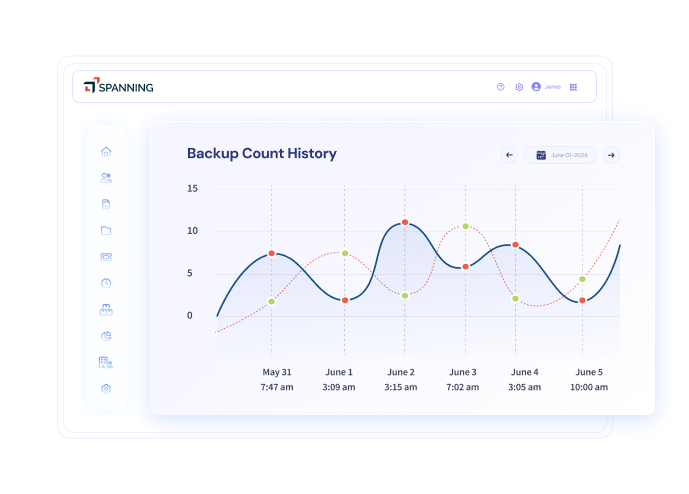
Salesforce backup that's reliable, flexible and easy-to-use

Automated and on-demand backup
Set automated backups to run daily at specific times. You can also initiate on-demand backups as needed, such as prior to major imports or mass edits, for added restoration points. Get notified via Chatter if issues arise so you can take immediate action to resolve them.

Selective, search-based restore
Pinpoint the exact records or fields you're looking for and restore them to a desired state. Filter searches by object, user, date or keyword. You can compare backups to each other or to your live instance, then choose your preferred recovery method.

Multiple paths to recovery
Use flexible restore options to recover data. Recover individual objects or all data from a specific snapshot and bring back permanently deleted items with related records intact. You can also restore data to another Salesforce org or sandbox and export data securely if needed.

Uncapped backup retention
Store backup history without surprise add-on fees or retention limits. Maintain every snapshot to align with business needs or retention policies, so you’re always ready for audits or investigations. Plus, you’ll have an abundance of backup points available to restore from at any time.

Salesforce-native integration
Manage backups from within Salesforce for a seamless experience. Control data access with native roles and permission sets, track backup status inside the org and receive in-product alerts. Protect your data from your workspace.

Advanced admin tools & reports
Monitor backup health with customizable dashboards and get detailed error reporting with corrective guidance for easier troubleshooting. Track daily API consumption, review user activity logs and choose backup destinations to support data sovereignty.
Our commitment to you
Kaseya's Global Services helps you get the most from your tech solutions, boost performance and achieve business goals.
Explore professional servicesKaseya’s Direct to Tech™ delivers fast, expert-level support to help your business quickly resolve issues and minimize risk.
Explore customer supportKaseya's Partner First Pledge is a commitment to flexible terms, shared risk and dedicated support for your business.
Explore Partner FirstHear from our customers
Real stories, real success. See how Kaseya partners thrive.

Blackline IT: Protecting people, not just systems
Read Case Study →
Built to last: How Astute turned efficiency into predictable growth
Read Case Study →
Built on grit: How NEXTGen IT turns challenges into comebacks
Read Case Study →Frequently asked questions about Salesforce backup
Salesforce backup is a process that involves creating independent copies of Salesforce data and configurations, so they can be restored if the live data is lost, corrupted or changed. Salesforce backup and restore solutions allow businesses to protect their critical CRM data, ensuring continuity for sales and service operations.
Salesforce applies its own backup and security measures to protect the platform and restore service after major incidents. However, these controls are designed for Salesforce’s continuity. Salesforce does not automatically back up data for customer recovery, let you restore deleted or corrupted data on demand or guarantee data recovery beyond limited system-level safeguards.
Backing up your Salesforce data is important because Salesforce describes data integrity and protection as a “shared responsibility between Salesforce and you.” Salesforce ensures that your data is safe on their end, but they are unable to restore your business data outside of an infrastructure-level disaster recovery event.
In simple terms, Salesforce is responsible for the security and availability of the platform, but the customer is ultimately responsible for the protection of their data. Without a dedicated Salesforce backup and recovery solution in place, you may have no fast, reliable way to recover from incidents like accidental deletions, bad imports, integration errors or overwrites.
Ready to get started?
Request a demo to see how Spanning delivers reliable data continuity for Salesforce.