The new INKY dashboard introduces a unified Triage page and a new SaaS Alerts (and Kaseya SIEM) integration page. It also includes new capabilities such as fully configurable ATO detection without requiring a SIEM integration, outbound protection with Approve & Encrypt actions and image-based DLP scanning.
Triage page
A new Triage page brings detection review and message action together in one place.
- Each message opens a slide-out panel showing the full content, threat signals and approve/reject controls.
- The delivery timeline view makes it clear what happened to a message, when and why.
- Designed for daily review of suspicious mail without bouncing between pages.
Account takeover (ATO) detection
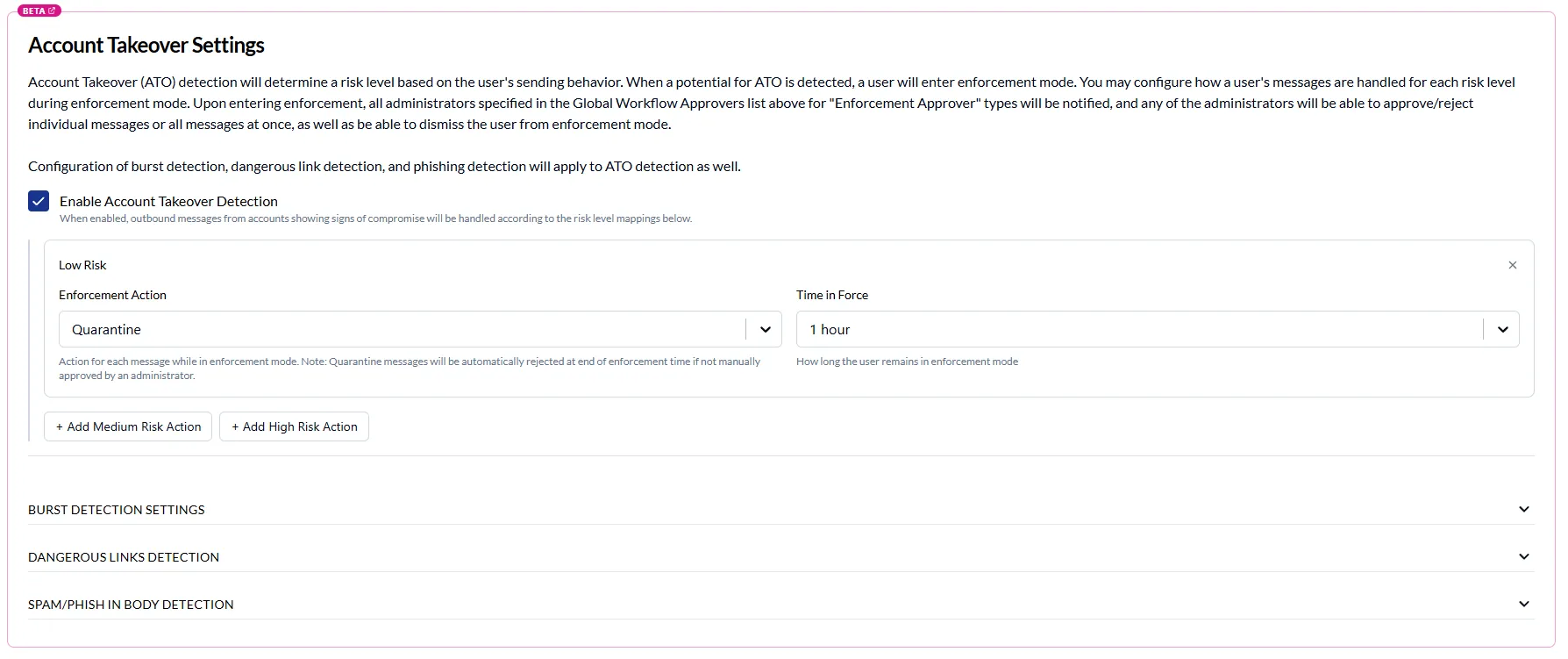
ATO detection and enforcement is now fully configurable from the dashboard with no SIEM integration required.
- Configure approvers, review detections with approve/reject per message and see exactly which rule and condition matched.
- Dangerous-link detection and rule trigger text are surfaced inline, so reviewers can act with full context.
- Enforcement history and delivery status are tracked alongside each detection.
Approve & Encrypt
Outbound workflows now support Approve & Encrypt actions.
- Quarantined outbound messages can be approved for delivery with message body encryption applied automatically.
- A new toggle on the outbound settings page controls availability.
- The workflow portal shows proper status for Approve-Encrypt actions end to end.
Integrations page with SaaS Alerts
A new Integrations page replaces the old Enterprise settings page and ships with a SaaS Alerts (and Kaseya SIEM) integration.
- Guided setup wizard with real-time connection verification via webhooks.
- Settings inheritance from parent organizations so partners can configure once and roll down.
- Gated behind Kaseya entitlements.
OCR in Outbound DLP scans
Outbound DLP scans can now read text inside images, catching sensitive data embedded in screenshots and attachments that may have previously slipped through.