Distribution window for ad-hoc and scheduled script and workflow execution

November 20
New
VSA 10, Kaseya 365 Endpoint

VSA 10 has introduced a new distribution window setting that gives you greater control over how automation tasks are spread across devices to reduce peak resource consumption.

When scheduling workflows or using Run Later from Device Management, you can now set a distribution window from 1 to 12 hours — or choose None to run actions concurrently.

By spacing execution evenly across the selected timeframe, you can avoid overloading network bandwidth and system resources, ensuring bulk script and workflow operations run smoothly without impacting your environment’s performance.
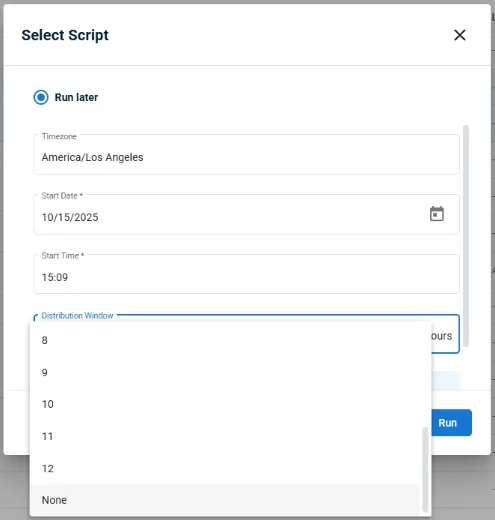
vsa10-distribution-window-adhoc-scheduled-workflow

Learn more about Distribution Windows for Scripts and Workflows in VSA 10 here.

One complete platform for IT & security management

Kaseya 365 is the all-in-one solution for managing, securing, and automating IT. With seamless integrations across critical IT functions, it simplifies operations, strengthens security, and boosts efficiency.

What is bare metal recovery? Definition, process and when to use it

Hardware fails without warning. A system that was running fine at the end of the day can be completely inoperable

Read blog post

Server backup: Types, methods and building a backup strategy

Server failures don’t announce themselves. A ransomware attack encrypts your data overnight. A failing drive corrupts a week’s worth of

Read blog post

What is server virtualization? How it works, types and benefits

Learn what server virtualization is, how it works, key benefits, use cases, best practices, and how it supports business continuity and disaster recovery.

Read blog post