Intune Device Management enhancements

February 4
Enhancement
Datto RMM, Kaseya 365 Endpoint

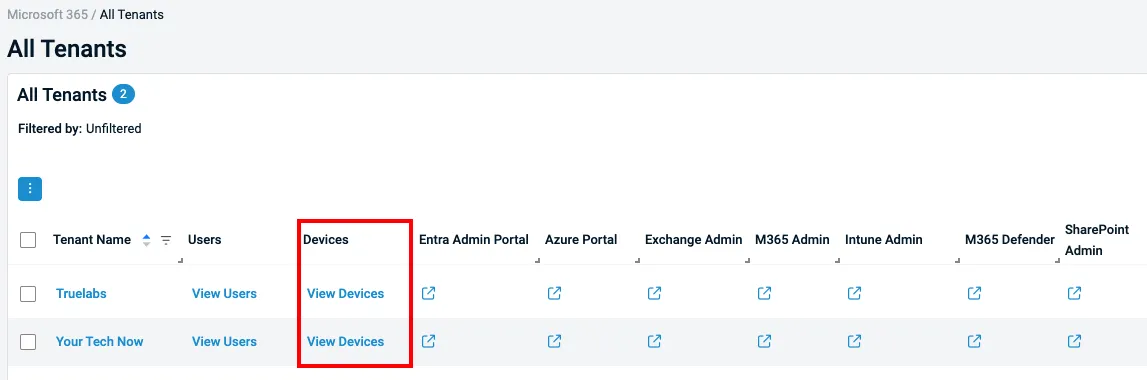
Datto RMM now delivers an improved Intune device management experience, starting with a new View Devices table in the All Tenants view for quicker access to tenant-specific devices.
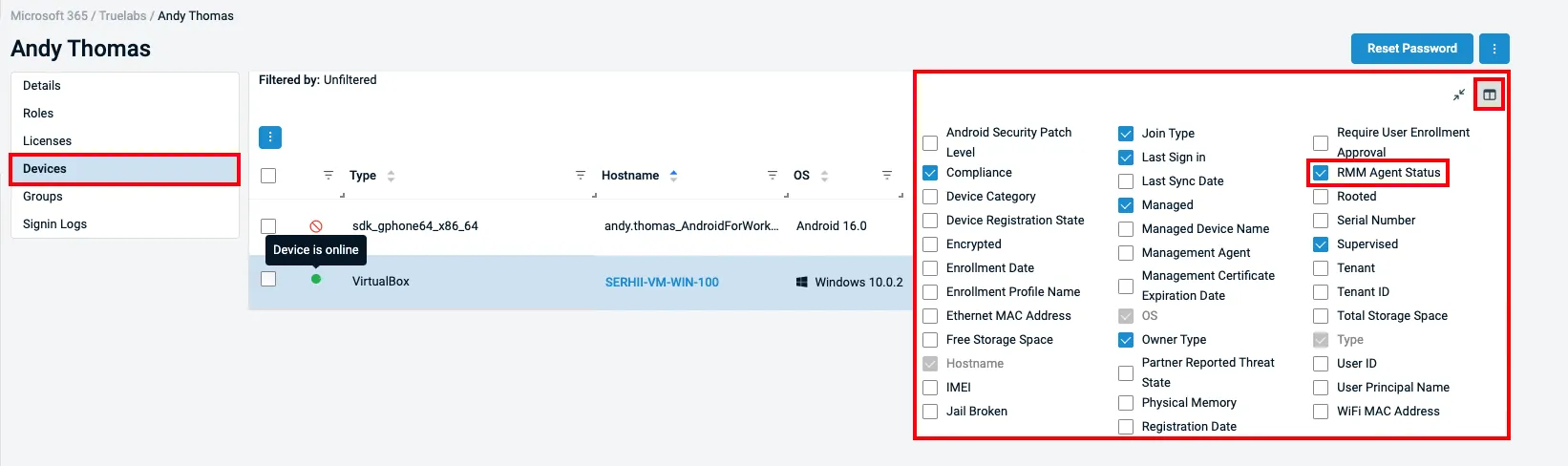
Administrators can also surface the RMM Agent Status column to instantly see whether the Datto RMM agent is installed, online, offline, unsupported or not present on enrolled Windows devices.
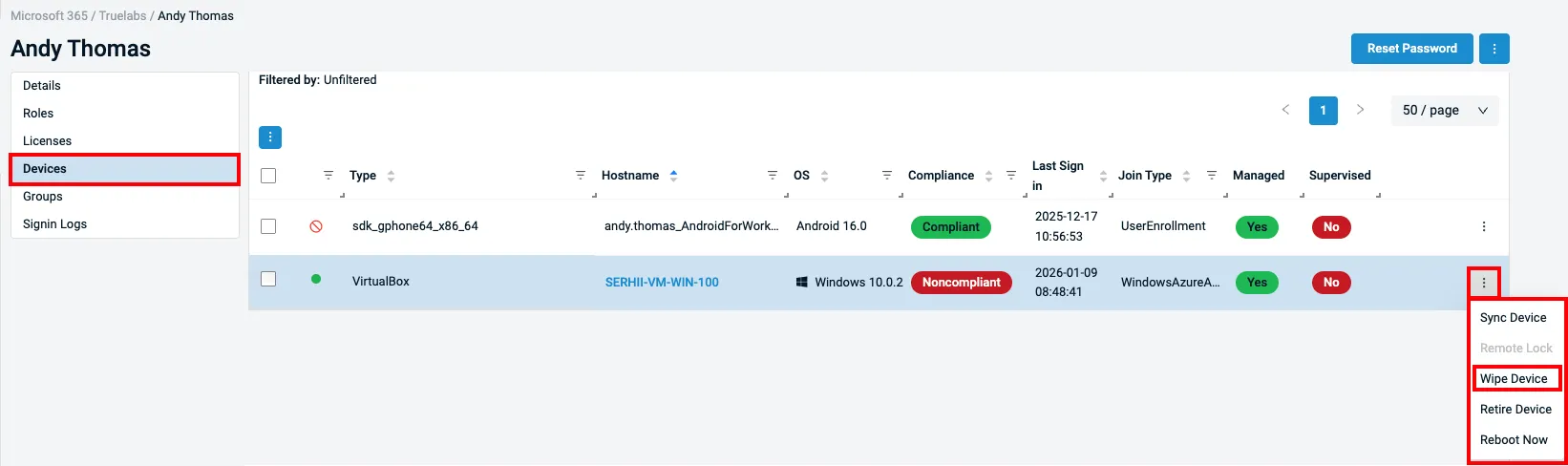
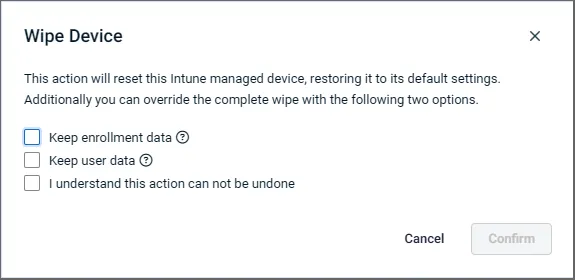
Device actions and visibility have been expanded with additional wipe options that better match real-world recovery and deprovisioning scenarios, including preserving enrollment data or user data when resetting devices.
Improved interlinking now takes users directly from Intune devices to the Datto RMM device card when the agent is installed, and updated compliance naming aligns terminology with Intune standards for a more consistent management experience.

Learn more about Microsoft 365 integration into Datto RMM here.

One complete platform for IT & security management

Kaseya 365 is the all-in-one solution for managing, securing, and automating IT. With seamless integrations across critical IT functions, it simplifies operations, strengthens security, and boosts efficiency.

Turning signals into action with Kaseya

Turn cybersecurity noise into actionable intelligence with Kaseya. Improve visibility, reduce alerts and respond faster to SaaS and identity threats.

Read blog post

AI in cybersecurity: SaaS security risks you can’t afford to ignore

AI is transforming cybersecurity threats. Learn how signal overload, SaaS sprawl, and identity-based attacks are driving the need for integrated cloud detection and response.

Read blog post

Best EDR Solutions in 2026: Ranked for MSPs and IT teams

Ransomware attacks cost small businesses an average of $8,000 per hour from attack to remediation. The average breach takes 194

Read blog post