Why choose Datto RMM over N-able RMM
The wrong RMM can kill your efficiency. Datto RMM brings automation, dynamic policy targeting, Microsoft 365 and Intune management, and AI-powered insights into one integrated console, so you’re not stuck with fragmented tools. And Datto RMM customers report 40% efficiency gains on average. Upgrade with confidence to the #1 RMM, trusted by over 13,000 MSPs.



Trusted and tested by thousands
of MSP partners globally
N-able got you started.Datto RMM gets you where you're going.
Datto RMM is built for what comes next. With AI that does the work and efficiency gains built in, growing environments can scale without the hassle of disconnected tools.
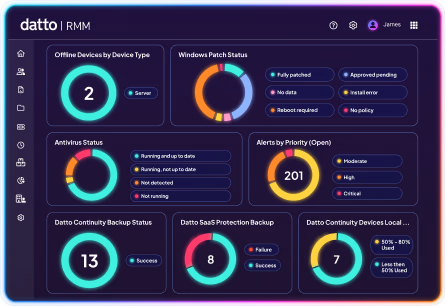
Datto RMM customers report 40% efficiency gains. You can too.
Datto RMM is incredibly powerful with what it can do
"The amount of tickets that have resolved before we even have sight of them is huge. Automation tasks that we run on machines and just leave running while we’re cracking on with other things is a huge advantage for us."Alan Geller - Support Team Lead, Our IT Services

The Datto RMM difference
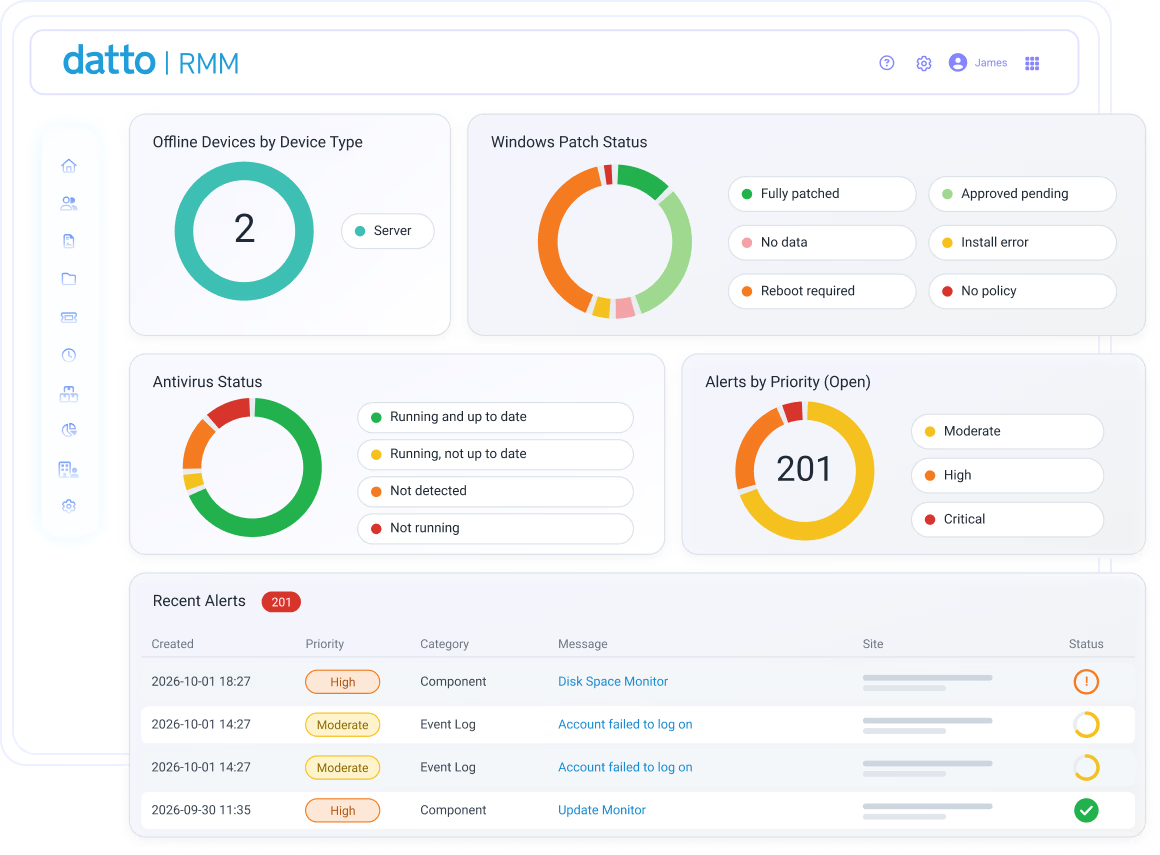
Dynamic policies that scale with your environment
Datto RMM catches what manual policy assignment misses. When a device is added or its attributes change, filters update instantly and apply the right policy automatically. No one has to catch it by hand, and nothing slips through the cracks.
"Datto RMM lets us segment and manage multiple facilities and manufacturing spaces without losing control. It makes things a lot easier."Logan Dirks - IT Operations Manager, KPS Global
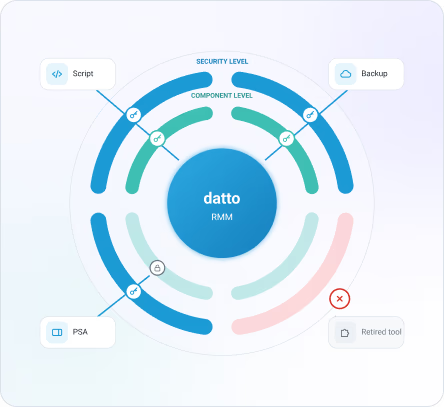
A governed API, built for control
One overprivileged API key can expose an entire environment to a single bad integration. Every credential in Datto RMM is scoped to only the resources and automations it actually requires, through Security Level and Component Level controls built into the REST API v2. A single compromised or retired tool never compromises the rest of your stack.
"We could seamlessly migrate to Datto RMM without the need to stop what we were doing. The integration meant we could finally deliver first-call resolution to our customers."Andrew Wipperfurth - Director of Operations, CTI Technology
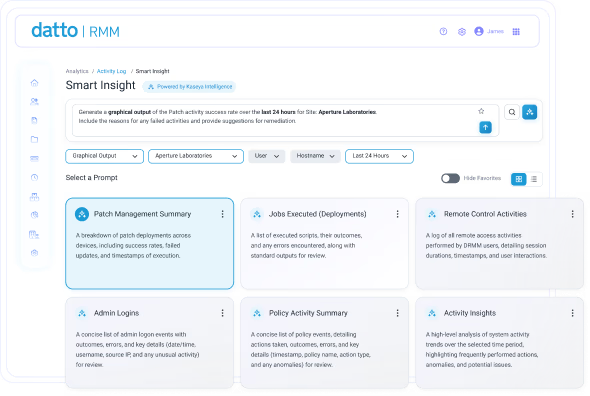
AI and automation that are miles ahead
Diagnosing the source of a single alert can consume a technician's entire morning. AI-powered Smart Insights resolves this with a plain-language question that investigates endpoint issues without ever leaving the conversation. ComStore backs it with automation, so the fix itself doesn't have to be built from scratch, drawing instead on scripts, monitors and application components ready for deployment.
"We went from under 8 hours to about 3 to 3.5 hours. Automation and workflows account for roughly 30–40% of that improvement."Omdia interview respondent
Our customers claim significant efficiency gains
Datto RMM customers tell us, that after implementation, they see on average 40% efficiency improvements. If you’re not seeing the gains, we’ll work with you in expert-led sessions — for free.
Frequently asked questions
How is Datto RMM different from N-able RMM?
Datto RMM offers more than 200 ready-to-use integrations, more than 500 prebuilt automations, FIPS 140-3 compliance and 99.99% uptime. No wonder over 13,000 MSPs trust it.
How does Datto RMM help reduce migration risk?
Start with a representative pilot, map existing monitors, scripts, patch policies, groups, permissions and ticket flows, then expand in phases. Kaseya Solution Engineers help configure the environment for efficiency.
We’re mid-contract with N-able. Do we have to wait until renewal?
No. We'll cover the remaining months on your current RMM contract through a buyout, a free period or ramped billing, so you're never paying for two RMMs at once. You get one RMM invoice during migration, and you control the migration timeline. No rushed cutover.
How does Datto RMM cut down alert noise and manual work?
Dynamic Grouping Policies target monitoring and automation by device attributes, so new and changed devices pick up the right policy automatically instead of your techs assigning them one by one. Threshold alerts, like low disk space, create a ticket automatically before a small issue becomes an outage. The result: fewer low-value alerts reaching your team, and more time for work that actually needs a human.
Do my techs need to write their own scripts?
No. ComStore gives you hundreds of free, prebuilt scripts and automation policies you can deploy on day one, and quality scoring flags script problems before they run across client environments. When you need something custom, your team can still build and deploy its own.
How does Datto RMM control access for integrations?
Every API key is scoped to specific sites, groups and devices, and to specific automations. Keys can be regenerated or revoked, so one compromised or retired tool never exposes your whole estate.
Is Datto RMM built for large and growing environments?
Yes. Datto RMM uses filters, groups, policies, jobs, security levels, dashboards and reporting to apply consistent operations across growing device estates and distributed locations. With 99.99% uptime, Datto RMM allows you to grow from a few hundred to thousands of endpoints with confidence.
How does Datto RMM use AI?
Smart Insights lets your technicians ask questions in plain language against live device data, including alerts, patches and performance, and get the answer in one place. Instead of jumping between three dashboards to figure out why an alert is firing, your tech asks one question. Smart Insights is generally available to all Datto RMM customers today.
How does the Datto RMM Efficiency Challenge work?
Our customers tell us that after implementation of Datto RMM, on average they see a 40% efficiency improvement. Make the switch and if you don’t see a similar improvement, you’ll get free Kaseya expert-led sessions to better optimize your environment. No audit, no benchmark, no paperwork. If you're not seeing the gains, getting help is a conversation, not a process. T&Cs apply.
Does Datto RMM work with Microsoft 365 and Intune?
Yes. Datto RMM automatically deploys to every Intune-enrolled Windows device, so you can manage M365 users and Intune devices, and check MFA and Conditional Access status, without switching to the Microsoft admin portal.
How painful is it to migrate to Datto RMM, and how long does it take?
Rebuilding everything you already have is the biggest reason MSPs stay on an RMM that isn't working for them. That's why we run onboarding to Datto RMM in parallel with your current tool, so the ramp-up takes weeks, not a year. You get 90 days of guided transformation support, and larger environments get white-glove migration help from our team.