Datto Backup for Microsoft Azure
Azure backup for confident recovery
Strengthen resilience across your Azure estate with Datto Backup for Microsoft Azure from Kaseya. Go beyond basic backup and recovery with an off-tenant solution that supports business continuity and disaster recovery (BCDR) for Azure workloads and infrastructure.
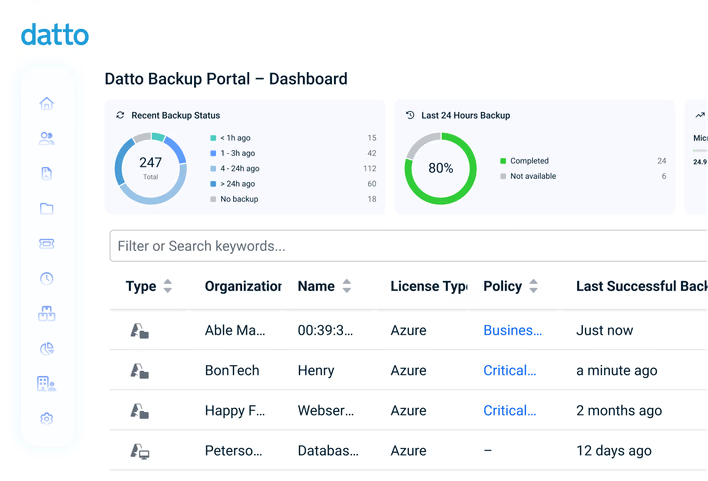
Complete Azure resilience – now with Azure Files & Azure Blob
Datto Backup for Microsoft Azure now supports Azure Files and Azure Blob containers. Go beyond native Azure limitations with secure, isolated backups for your critical Azure infrastructure. Protect data from ransomware, reduce single-cloud risk and deliver faster, more cost-effective recovery across your entire Azure estate.
Why Datto Backup for Microsoft Azure?
Protect Azure VMs, File shares and Blob containers in a dedicated environment
Datto Backup for Microsoft Azure uses a multi-cloud approach that prevents single points of failure, while providing added storage security and recovery assurances. All at a cost-effective, predictable price with no surprise fees.
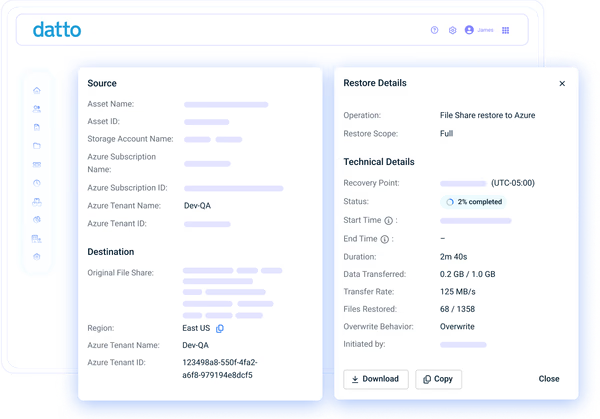
Eliminate in-tenant risks
Avoid relying on a single cloud by replicating backups to a secure, standalone cloud. With Microsoft reporting an 87% increase in cyberthreat campaigns targeting Azure in 2025, the need to keep recovery points outside your tenant has never been greater.
"Datto Backup for Microsoft Azure centralizes everything in a single pane of glass, so you can understand everything that's happening at a given moment"Rick Topping - Vice President of Operations and Technology, Ceeva
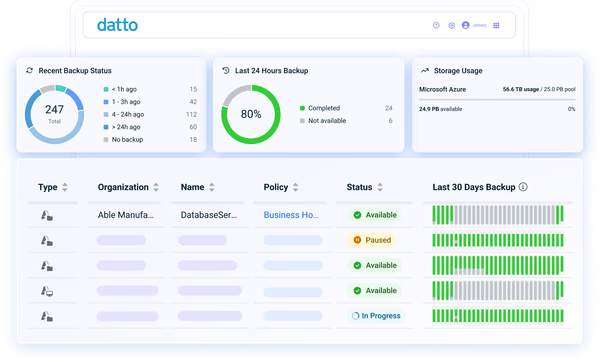
Keep backups resilient
Rest easy knowing your Azure data is stored in a security-first cloud engineered for business continuity. You can rely on anti-deletion safeguards, immutable cloud architecture, ransomware detection, enterprise-grade encryption and screenshot verification for reliable recovery.
"With Datto, there are many layers of security and redundancy that allow us to know with certainty that backups will be accessible, no matter what."Oscar Diaz - CEO, Tecbound
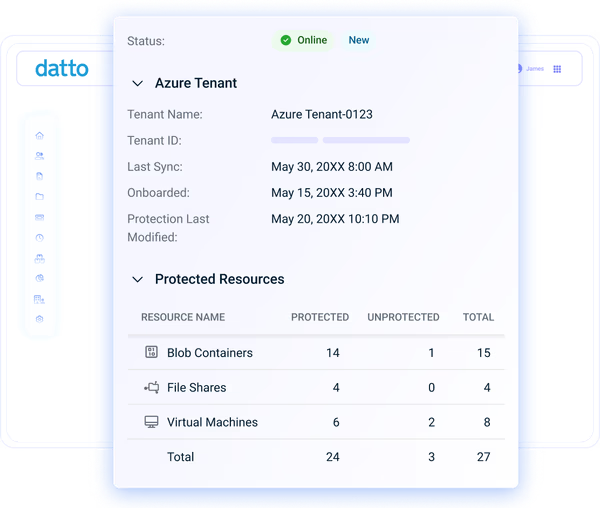
Boost margins, control spend
Increase your MSP profits or protect your bottom line with a low total cost of ownership (TCO). Do away with estimating variable cloud costs and invest in a predictable solution that includes backup, data transfer, file, folder and object restore, VM disaster recovery (DR) and 24/7 support for 30-50% less than native Azure options.
"Microsoft doesn't provide the level of native protection that most of our customers think, and Datto has played a significant role in filling those gaps and adding that extra layer of protection. That has boosted our customer value."Chris Miller - Vice President of IT Sales and Solutions, POA
Features
Offsite, cloud-based Azure backup for BCDR

Simplified administration
Get started with this turnkey solution in a few clicks and reduce manual effort with automated backups, verification, testing and alerts. Manage Azure backups from a secure cloud portal and easily generate reports that detail protection status, restores, configurations and more.

Hourly backup, fast recovery
Back up data automatically as often as every hour to capture ongoing changes and support a 60-minute recovery point objective (RPO). Quickly recover anything needed, from individual files, folders and objects to entire disks, shares and containers through an intuitive interface.

Multi-cloud continuity
Maintain backups outside the Azure cloud for better resilience and recovery versatility. In-region VM backups are stored in a Kaseya-owned tenant for fast restore inside Azure, while Files, Blob and secondary VM copies are replicated to the Kaseya Cloud for redundancy and recovery.

Immutable backup storage
Your backups are isolated from production environments, as well as Azure-targeted attacks, with immutable cloud storage that can't be altered, encrypted or deleted. Customize retention to meet client or business needs.

Daily backup verification
Enjoy the confidence of knowing that Azure backups are complete, healthy and recoverable. VMs are built and booted from existing backups for proof of recoverability. File and Blob backups are monitored for anomalies on a rolling basis.

Virtual machine disaster recovery
Spin up VMs in Azure or within the offsite recovery cloud if Azure is unavailable, at no extra cost. Instantly virtualize to validate recovery points, then convert to file restores or export images back to Azure. Get expert support for DR planning, testing and live incidents.
Customer Success
Our commitment to you
Professional services
Kaseya's Global Services helps you get the most from your tech solutions, boost performance and achieve business goals.
24/7 customer support
Kaseya’s Direct to Tech™ delivers fast, expert-level support to help your business quickly resolve issues and minimize risk.
Partner First Pledge
Kaseya's Partner First Pledge is a commitment to flexible terms, shared risk and dedicated support for your business.
Testimonials
Hear from our customers
Real stories, real success. See how Kaseya partners thrive.

Blackline IT: Protecting people, not just systems
Read case study
Built to last How Astute turned efficiency into predictable growth
Read case study
Built on grit: How NEXTGen IT turns challenges into comebacks
Read case studyFAQ
Frequently asked questions about Microsoft Azure backup
What is Azure backup?
Azure backup is the practice of creating and storing restore points for data and systems running in Microsoft Azure. These backups support recovery after deletion, corruption, ransomware or service disruption. Depending on your business or customers' needs, backups may cover files and folders, full virtual machines or application data such as SQL databases.
How does Azure backup work?
Azure backup works by capturing changes from protected Azure resources on a set schedule that supports a defined RPO. These copies are typically stored in a secondary location, so recovery is possible when something goes wrong with data or systems in the production environment.
With Datto Backup for Microsoft Azure, backups are taken hourly to align with a 60-minute RPO and stored across multiple clouds for redundancy. This dual-cloud design adds recovery flexibility, enabling restores in Azure and virtualization in the independent cloud.
Where are Azure backups stored?
Azure backups are usually stored in a separate location from the workloads they protect. This may be within Azure in a different tenant or region, or in an external offsite cloud or data center, depending on the design and solution used. In any case, best practice is to keep at least one copy outside the production environment to reduce single points of failure.
With Datto Backup for Microsoft Azure, backups are stored in a Kaseya-owned, in-region tenant. They are then replicated to a secure, private cloud designed for disaster recovery. The secondary location adds offsite protection and helps preserve recovery options when Azure tenants are impacted.
Are Azure backups immutable?
Azure backups can be immutable, depending on the backup approach and storage configuration. Datto Backup for Microsoft Azure replicates data offsite to a dedicated recovery cloud with immutable block storage, preventing unauthorized changes or alteration by any external source. Layered defenses also help protect against accidental or malicious cloud deletion and ransomware activity.
Does Azure have a backup service?
Yes, Microsoft offers native backup and recovery services for Azure workloads. However, many organizations opt for an independent Azure backup solution to reduce reliance on a single-cloud environment, add recovery-focused capabilities like immutability and verification and simplify cost predictability compared to consumption-based billing.
Ready to get started?
Request a demo to see how Datto Backup for Microsoft Azure helps you recover VMs and data instantly.