Datto SaaS Protection
SaaS backup for cloud data protection
Keep things running smoothly with Datto SaaS Protection (formerly Backupify) from Kaseya. Safeguard critical data across Microsoft 365 and Google Workspace, so you can be confident it's always protected, accessible and recoverable.



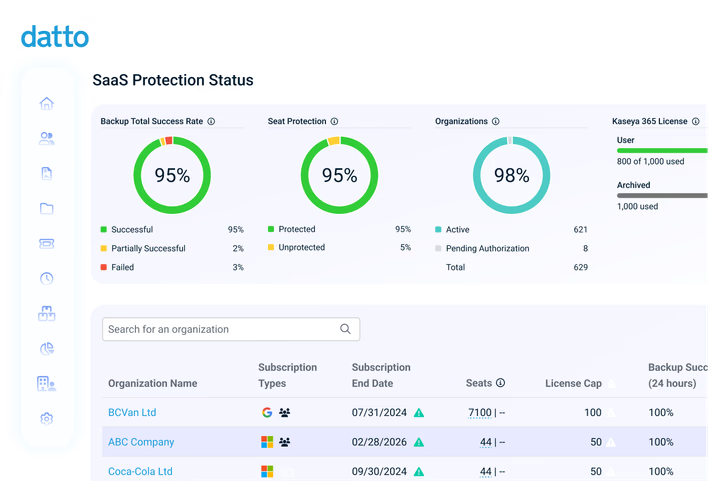
Why Datto SaaS Protection?
Stay productive with a reliable SaaS cloud backup solution
Datto SaaS Protection was built to give MSPs and organizations full control over their data continuity. Cut through the complexity of modern cloud data protection, reduce risk and keep business on track.
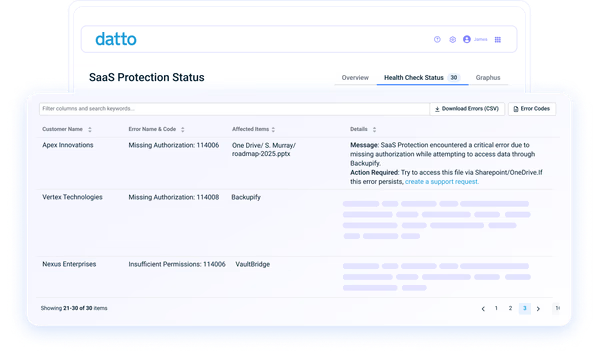
Optimize your backup process
Simplify backup management with automations that ease your team's workload. Deploy SaaS backups at scale to protect cloud collaboration data, eliminate tedious manual processes and free up time for strategic projects.
"SaaS Protection does one thing and it does it well: it backs up Exchange, OneDrive, SharePoint and Teams data."Nestor Diaz - Azure Task Force Lead, Inova Solutions N.V.
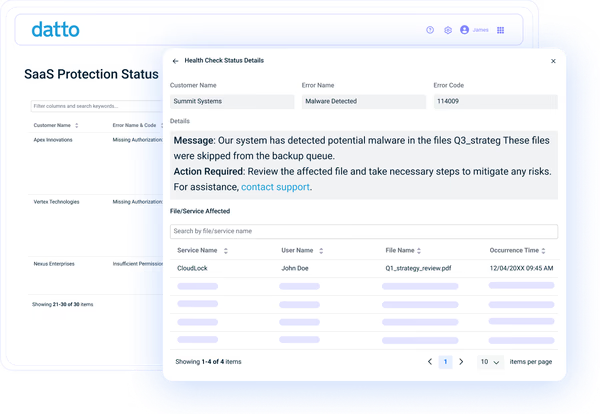
Recover with speed and precision
Quickly restore data exactly when and where it's needed. Use multiple restore functions to recover anything from individual files, emails and contacts to entire accounts. Minimize recovery time, maintain SaaS data continuity and restore productivity in just minutes.
"It cannot be understated how simple and quick it is to set up SaaS Protection. All you need is admin user account credentials, and you are ready to rock. Plus, restoring data is effortless and quick as well."William Press - Cloud Project Manager, Total Technology Resources
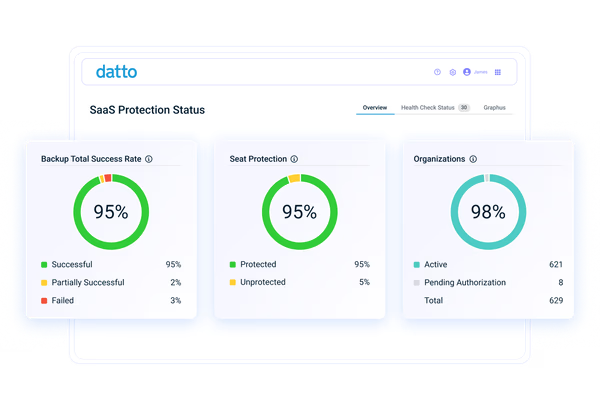
Keep data compliant and audit-ready
Protect your vital SaaS data with enterprise-grade security protocols and built-in compliance support. Certified with numerous standards and regulations, including HIPAA, GDPR and SOC 2 Type II, your data is kept safe and aligned with industry requirements.
"The Datto SaaS Protection product is straightforward to set up and use. What I like best is the automated reporting I receive, that outlines the success/failure of the service. It makes it really straightforward to manage my client base."Andy Pabari - Managing Director, NSP IT Strategy & Solutions
Features
Secure SaaS backup that supports collaboration

Automated and on-demand backup
Automatically run daily SaaS backups to capture content changes. Take advantage of unlimited on-demand backups so nothing is left unprotected. Create as many backup points as necessary to meet your recovery objectives and keep recent data intact.

Flexible, tailored restore options
Recover data on your terms with granular search, point-in-time and self-service restore options. Quickly locate and retrieve specific items, roll back to any previous backup point and let users restore their own data, all without overwriting current files.

Unlimited backup retention
Retain every version of your SaaS data with no limits or expiration. With infinite retention, you can store backup points indefinitely and enjoy continuous access to historical data. No hidden caps or extra fees, just continuous data protection at scale.

Versatile admin capabilities
Simplify management while maintaining total control. Designate admin roles, customize backup settings, perform cross-user restores and seamlessly manage licenses from a user-friendly interface. Enjoy mobile-friendly access to oversee backups and initiate restores anytime, anywhere.

Status monitoring and reporting
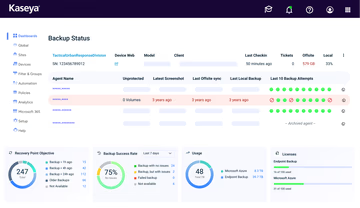
Gain full visibility into backup performance with real-time alerts, live monitoring and transparent reports. Quickly identify and correct issues while maintaining a detailed, immutable audit log. Keep your backup operations reliable and always optimized.

Defense-in-depth security
Experience a proven, multi-layered defense that protects SaaS data from compromise. Security measures include encryption at rest and in transit, intrusion detection, strict access controls, application-level authentication and global data centers to keep information safe and ready for recovery.
Kaseya 365 User
Get SaaS backup and much more with Kaseya 365 User
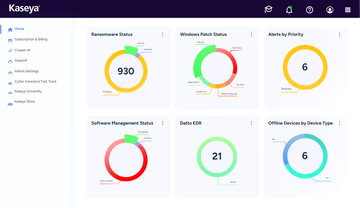
Kaseya 365 User delivers a single, integrated subscription that provides everything needed to prevent, respond to, and recover from user-targeted threats.
Customer Success
Our commitment to you
Professional services
Kaseya's Global Services helps you get the most from your tech solutions, boost performance and achieve business goals.
24/7 customer support
Kaseya’s Direct to Tech™ delivers fast, expert-level support to help your business quickly resolve issues and minimize risk.
Partner First Pledge
Kaseya's Partner First Pledge is a commitment to flexible terms, shared risk and dedicated support for your business.
Testimonials
Hear from our customers
Real stories, real success. See how Kaseya partners thrive.

Blackline IT: Protecting people, not just systems
Read case study
Built to last How Astute turned efficiency into predictable growth
Read case study
Built on grit: How NEXTGen IT turns challenges into comebacks
Read case studyFAQ
Frequently asked questions about SaaS backup
What is SaaS backup?
SaaS backup is the practice of protecting data created and stored in cloud-based applications. It involves systematically copying components such as emails, files, calendars and contacts into a separate, secure location. This process provides a historical repository of data so that it can be recovered if the current version is compromised for any reason.
By making SaaS backup part of everyday operations, organizations can maintain business continuity, maintain collaboration and protect valuable information from being permanently lost.
Why back up your SaaS data?
SaaS backup is necessary because risks are constant. Threats like accidental deletion, malicious insiders, cyberattacks and ransomware can all cause files to vanish or become corrupted. Without a copy to restore, data loss can disrupt productivity, delay projects and create financial or compliance risks. SaaS backup provides resilience by making recovery fast and reliable when problems arise.
Google and Microsoft operate on a shared-responsibility model, which means they maintain platform availability, but customers are responsible for protecting their own data. Native retention tools leave gaps, making third-party SaaS backup solutions essential for guaranteed access to information when it’s needed most.
What is SaaS backup software?
SaaS backup software is a tool that automates the process of protecting information stored in apps like Microsoft 365 and Google Workspace. It provides backup automation, flexible restore capabilities and other features that go beyond what native tools can offer.
The purpose of SaaS backup solutions is to make data recoverable while reducing the burden on IT teams. Instead of managing manual processes, admins can trust the software to handle protection in the background while they focus on strategic initiatives.
How do SaaS backup solutions work?
SaaS backup solutions work by creating a complete initial backup of an organization’s cloud data. From there, it performs automated daily backups that capture any new or modified content. With Kaseya, administrators can also run on-demand backups if additional recovery points are needed.
When data loss occurs, the software allows for quick restoration of individual files, folders or even full accounts. Recovery can be completed in minutes, allowing businesses to avoid productivity loss and continue working with minimal disruption.
Ready to get started?
Request a demo to see how Datto SaaS Protection keeps Google Workspace and Microsoft 365 data recovery-ready.