Resource Planner - Early Access
The Resource Planner brings tickets, service calls and calendar availability into a single view, giving service teams a clear, real-time understanding of capacity and workload. Teams can quickly see availability, identify bottlenecks and assign the right resources at the right time.
As demand grows, managing capacity becomes more complex. Without visibility, teams risk overloading key resources or missing deadlines. The Resource Planner centralizes scheduling and workload insights to help balance assignments and reduce manual dispatching.
\
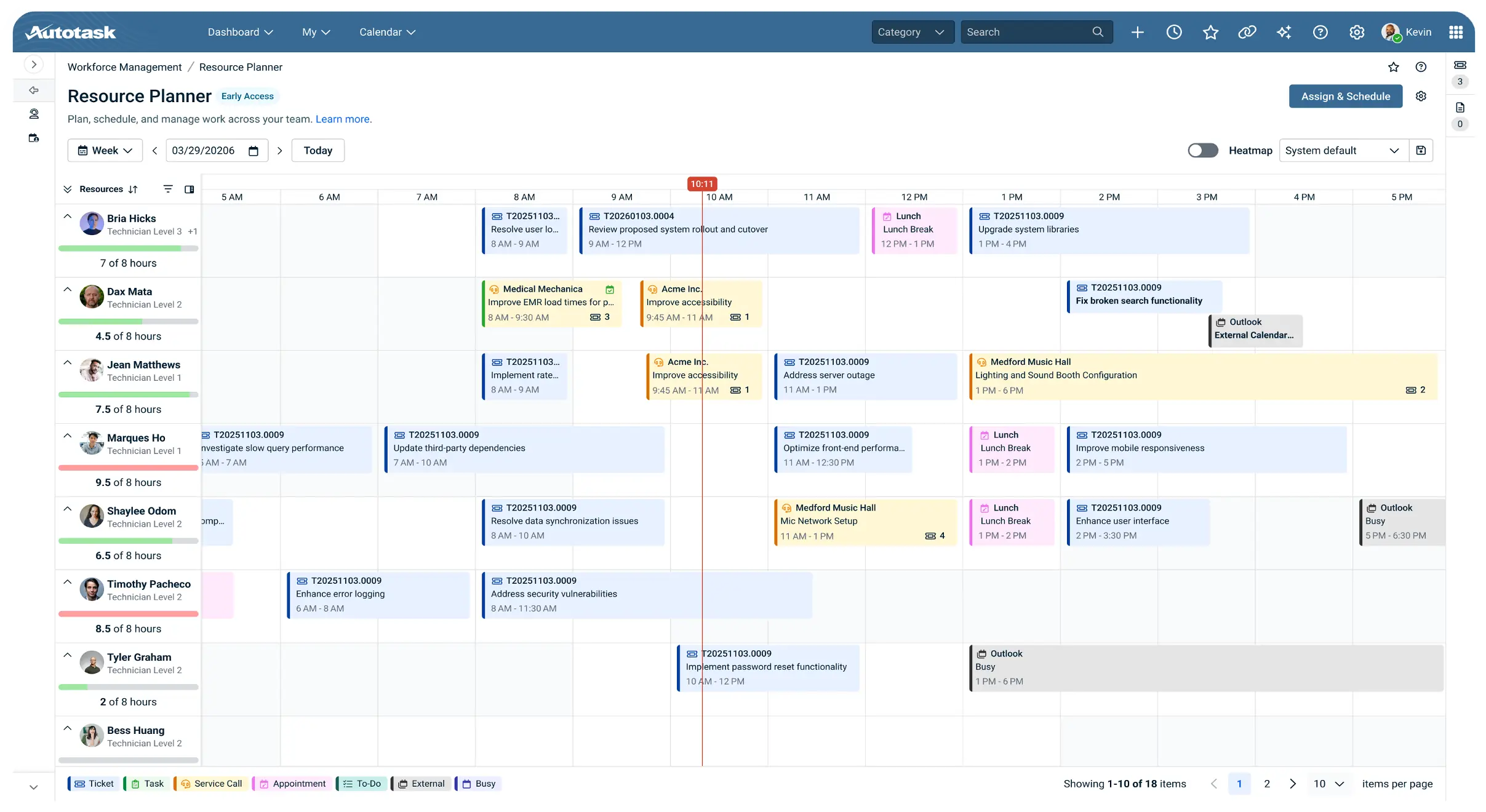
Resource Planner is currently available in Early Access, enabling teams to schedule tickets with drag-and-drop in Day and Week views, assign tickets directly to a primary resource without creating a service call, filter resources and take quick actions like editing tickets, adding time entries and updating notes — all within the planner.
This helps improve resource utilization and keeps teams aligned with work and availability without relying on spreadsheets or disconnected tools.
Learn more about Resource Planner and how to get started here.
One Complete Platform for IT & Security Management
Kaseya 365 is the all-in-one solution for managing, securing, and automating IT. With seamless integrations across critical IT functions, it simplifies operations, strengthens security, and boosts efficiency.

MCP for MSPs: What changes in service delivery
Learn how Model Context Protocol (MCP) changes MSP service delivery, six workflows it impacts, how to approach adoption and which controls to put in place.
Read now
MCP security: Risks, authentication and gateways
Learn about MCP security risks, how authentication should work, what an MCP gateway does and seven steps IT teams can take to adopt MCP safely.
Read now
MCP vs. API: What’s the difference and why it matters
Explore the differences between MCP and APIs, how MCP builds on APIs like the Datto RMM API, and when IT teams and MSPs should use each approach or both.
Read now