Datto File Protection
File backup for always-on protection
Your business documents need protection. Keep them recoverable across your organization’s and clients’ devices with Datto File Protection, Kaseya's online file backup software. Protect files and folders on PCs, servers and Macs from everyday threats like human error, ransomware, hardware failure and device loss.
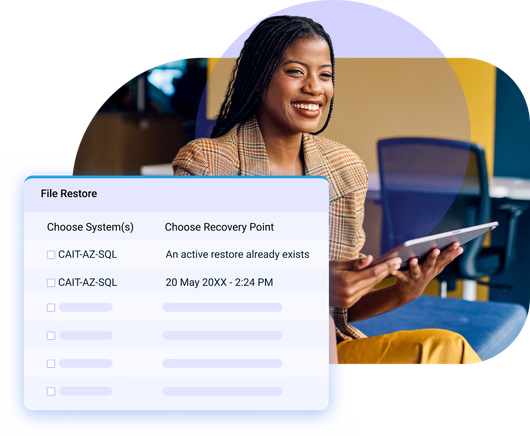
Why Datto File Protection?
Safeguard business-critical files, wherever they are
Datto File Protection delivers appliance-free, cloud-based file backup and restore. Backup runs over the internet to keep files and folders protected around the clock, regardless of whether people work in the office, at home or on the go.
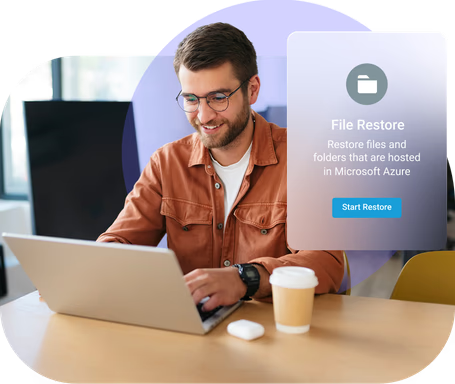
Deploy and manage with ease
Roll out remote protection in minutes through Datto RMM, Active Directory Group Policy or an emailed self-install link. Keep users productive with hands-free installs and mass authentication, then tailor backup profiles and manage every tenant from a single cloud portal.
“Backup is like insurance. You don’t need it until you need it. And sometimes, when you’ve realized you need it, it’s a little bit too late.”Keith Burton - CEO, DataSHUR Corporation

Empower clients and end users
Reduce support tickets by letting users access and recover their own files with intuitive self-service restore functionality. MSPs and IT teams can also assign company-level admin privileges to select people, and perform secure recoveries on a user's behalf.
“Datto File Protection gives us the ability to do continuous backup on any device regardless of operating environment or network status. Gaining that kind of control allows us to easily manage our clients’ file back up in a way that is far more secure, efficient and cost effective than ever before.”Terry Bryson - Owner, The Local Guy
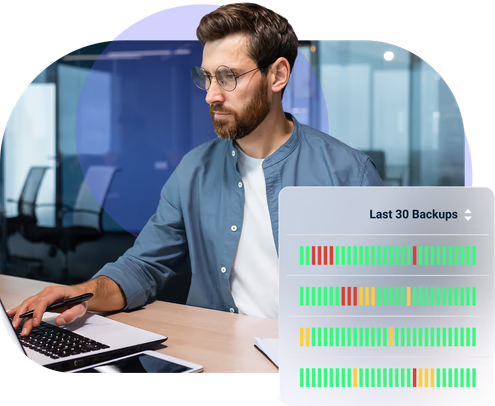
Keep files secure and compliant
Stay recovery-ready 24/7 and protect files from corruption with high availability, 256-bit AES encryption in transit and at rest. Meet your organization’s and clients’ requirements with geo-redundant storage and compliance support for HIPAA, GDPR and SOC 2 Type II.
“The live backup verification is huge. I wasn’t able to get that anywhere else.”Alex Eissler - Director of Operations, Vicinity
Features
File backup and restore that's scalable and reliable

Continuous file backup
Capture file and folder changes immediately. Every backup happens the moment an edit is detected, automatically saving a new version on the device. Minimize the window for data loss by creating new recovery points as files evolve instead of waiting for a scheduled backup.

Geo-redundant data centers
Store backup files, with redundancies, in regional cloud facilities across the United States, Canada, Europe or Australia. Stay resilient during outages or major disasters while supporting data sovereignty and residency policies, without added infrastructure.

Six-month version retention
Keep each file backup stored for up to 180 days. It’s easy to roll back to a desired state after accidental deletion or compromise. With an unlimited versions, you'll never have to worry about filling in the gaps or overwrites that go unnoticed over time.

Ransomware detection
Spot suspicious encryption behavior by analyzing file change patterns and scanning for malware on connected endpoints and servers. Automatically quarantine affected devices to limit spread, then alerts admins so they can isolate infected files and reduce impact.

RMM and PSA integrations
Manage endpoints through Datto RMM for real-time visibility into file protection status and activity from an interface you already use daily. Connect Autotask PSA for streamlined backup-related ticketing, plus simplified contract and billing workflows for MSP businesses.

Automated backup reports
Schedule, generate and distribute stakeholder-ready reports automatically to detail user access, file backup coverage and recovery actions. Keep business leaders informed on protection efforts and demonstrate clear outcomes to reinforce the value of your services to clients.
Customer Success
Our commitment to you
Professional services
Kaseya's Global Services helps you get the most from your tech solutions, boost performance and achieve business goals.
24/7 customer support
Kaseya’s Direct to Tech™ delivers fast, expert-level support to help your business quickly resolve issues and minimize risk.
Partner First Pledge
Kaseya's Partner First Pledge is a commitment to flexible terms, shared risk and dedicated support for your business.
Testimonials
Hear from our customers
Real stories, real success. See how Kaseya partners thrive.

Blackline IT: Protecting people, not just systems
Read case study
Built to last How Astute turned efficiency into predictable growth
Read case study
Built on grit: How NEXTGen IT turns challenges into comebacks
Read case studyFAQ
Frequently asked questions about file backup
What is file backup?
File backup is a data protection process that involves creating copies of selected files and folders, then storing those copies separately from the original device. It protects user-generated content, so you can restore a specific document quickly after loss or corruption.
Why is it important to back up your files?
File backup is important because it limits the fallout from everyday data-loss scenarios. If a file is deleted, overwritten or saved incorrectly, a recent backup lets you restore the prior version instead of rebuilding the work from scratch. It also preserves access when a device fails, loses power or goes missing, since a copy exists outside the machine. In the case of ransomware, stored versions provide a way to roll back to a clean state, and offsite storage adds resilience against fires, floods or regional outages that can take local systems offline.
How often should you back up your files?
File backup frequency should match your recovery point objective (RPO), the maximum amount of recent work you can afford to lose. If losing a day of changes is acceptable, nightly backups may fit. If files change constantly and downtime is costly, backing up more often will keep copies closer to the most recent version.
Datto File Protection creates a new recovery point whenever a file is saved with a new version, minimizing the RPO window without scheduled jobs. It also keeps unlimited versions for up to six months, so you can restore the right point-in-time copy even if an issue is noticed weeks later.
Where are backup files stored?
Backup storage depends on the method you use. Some teams store copies on external drives or local NAS devices, others replicate to a secondary site, and many back up to the cloud for offsite protection. A smart strategy keeps at least one copy separated from production systems.
With Datto File Protection backups are stored online in the Datto Cloud with encryption in transit and at rest. Backups are kept in regional cloud facilities in the US, Canada, Europe or Australia, with geo-redundant protection inside the selected region for resilient restores over any internet connection.
Ready to get started?
Request a demo to see how Datto File Protection keeps documents recovery-ready with continuous backup.