Datto SaaS Protection for Google Workspace
Google Workspace backup for reliable continuity
Protect your Gmail accounts, drives, calendars and contacts with Datto SaaS Protection (formerly Backupify), Kaseya's cloud-to-cloud backup for Google Workspace. Automate backups for quick recovery anytime critical data gets compromised.



Why Datto SaaS Protection for Google Workspace?
Simplify Google Workspace data protection
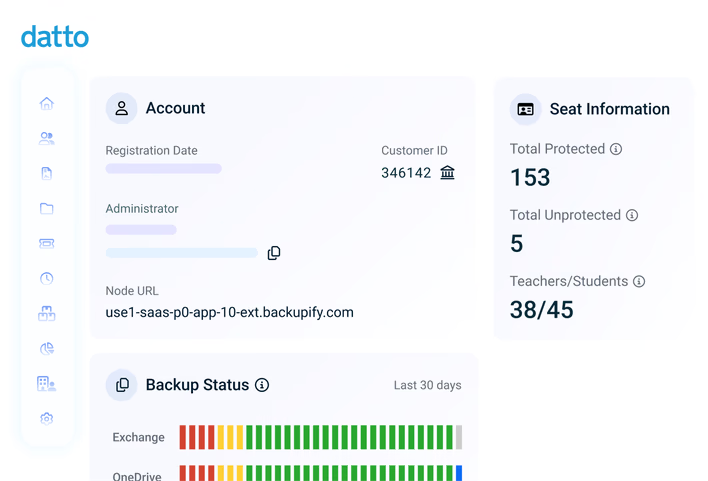
Datto SaaS Protection for Google Workspace keeps business collaboration data backed up, searchable and recovery ready. Do away with manual backups and manage recovery on your terms, keeping data secure every step of the way.
Simplify and optimize backup
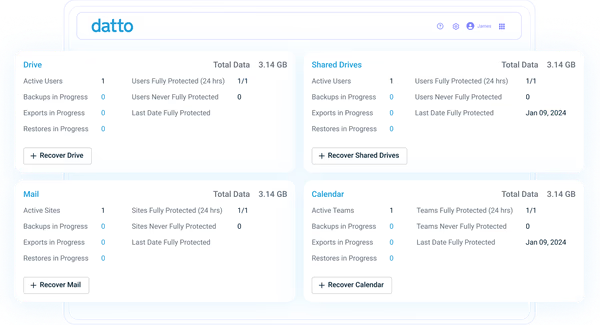
Capture recurring snapshots with automated backups. Reduce the day-to-day effort of manual backups while keeping coverage consistent. See results fast, spot gaps early and minimize manual intervention to keep your team focused on higher-value work.
"My problem with Datto SaaS Protection is it just works. It's super easy."Joshua Heard - Vice President Operations, Data Integrity Services, Inc.
Restore what you need, when you need it
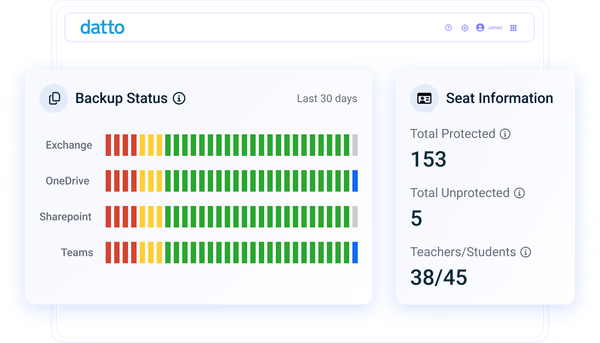
Quickly recover anything and everything that matters, from individual items to entire domains, whenever necessary. Use advanced search functionality and various recovery methods to locate specific backup points and restore them to a desired location.
"I like the ability to tell clients, 'No matter what happens, we can get you back online.' Even if a car crashes into your building, an airplane lands on your office, there's a flood or somebody steals your server, we've got you covered."Keith Burton - CEO, DataSHUR Corporation
Comply with security requirements
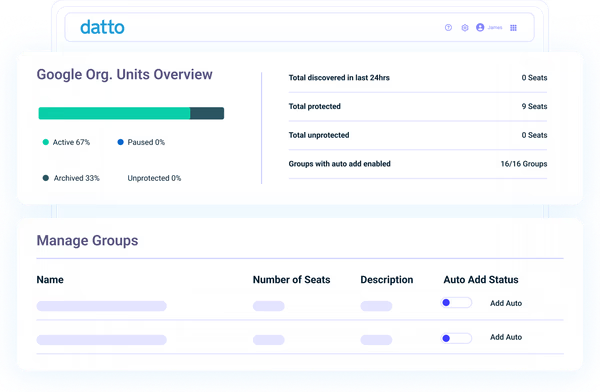
Strengthen data governance with encrypted backups, role-based access control and intrusion detection. Stay audit-ready with a Google Workspace backup solution that's certified compliant with numerous standards and regulations, including HIPAA, GDPR and SSAE16.
"A lot of our clients have significant compliance requirements and 90-day retention isn't enough. So, that's a big driver. Users are still making mistakes and deleting things they shouldn't."Jared Sangeorzan - Director, Systems Management, GadellNet
Features
Google Workspace backup that provides maximum control

Auto & on-demand backups
Once you set up an initial full backup of your domain, you can automate daily incremental backups and trigger on-demand snapshots for additional coverage at any time. Work with the confidence of knowing you always have recent and historical recovery points to restore from.

Granular, search-based restore
Filter backups with advanced search across users, keywords, dates and more. Locate emails, files, events and folders fast, then restore them to the right place without overwriting or corrupting current production data. Or you can export items for investigation, audit and eDiscovery.

Flexible recovery options
Return data to where the business needs it most using point-in-time and cross-user restore for departures, migrations and incidents. Recover to the original location, redirect it to another account, and reduce admin workload by giving end users the option to self-restore their own items.

Infinite backup retention
There's no limit on how long you can hold onto backups, so you can easily preserve every recovery point for as long as policy demands. Keep everything protected as you grow, and maintain a reliable history for audits, disputes and investigations.

Powerful admin capabilities
Control backup and recovery operations from a single, centralized admin portal. Customize backup settings, select storage regions to support data sovereignty, manage licenses at individual and organizational levels and delegate super-admin and help desk admin roles.

Backup monitoring & alerts
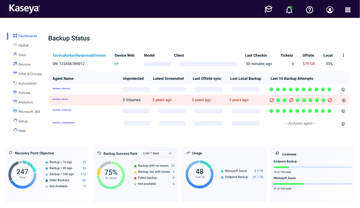
Track backup health and coverage in clear dashboards, receive notifications when a job fails and use an immutable audit trail to verify actions across the domain. Troubleshoot quickly, confirm policy compliance and view reports to continuously monitor application usage.
Kaseya 365 User
Get backup for Google Workspace and much more with Kaseya 365 User
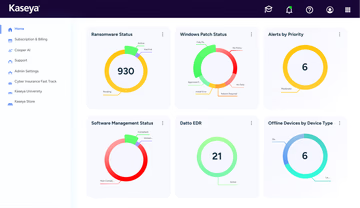
Kaseya 365 User delivers a single, integrated subscription that provides everything needed to prevent, respond to, and recover from user-targeted threats.
Customer Success
Our commitment to you
Professional services
Kaseya's Global Services helps you get the most from your tech solutions, boost performance and achieve business goals.
24/7 customer support
Kaseya’s Direct to Tech™ delivers fast, expert-level support to help your business quickly resolve issues and minimize risk.
Partner First Pledge
Kaseya's Partner First Pledge is a commitment to flexible terms, shared risk and dedicated support for your business.
Testimonials
Hear from our customers
Real stories, real success. See how Kaseya partners thrive.

Blackline IT: Protecting people, not just systems
Read case study
Built to last How Astute turned efficiency into predictable growth
Read case study
Built on grit: How NEXTGen IT turns challenges into comebacks
Read case studyFAQ
Frequently asked questions about Google Workspace backup
What is Google Workspace backup?
Google Workspace backup is a data protection strategy that involves generating and storing backup copies of Google Workspace data so it can be recovered if that data is lost, deleted, corrupted or compromised. When needed, backup data can be restored back into your domain, so business operations keep moving.
Does Google Workspace need to be backed up?
Yes, Google Workspace data should be backed up because Google Cloud follows a shared responsibility model. This model dictates that while Google is responsible for securing the underlying platform infrastructure, it is the customer's responsibility to secure their data.
Google Cloud's shared responsibility model explicitly states, “In SaaS, we own the bulk of the security responsibilities. You remain responsible for your access controls and the data that you choose to store in the application."
This means that Google is not responsible for issues like accidental deletion, malicious alterations and sync errors. Data loss incidents happen every day, and a dedicated Google Workspace backup and recovery tool provides you with restore points when those events occur.
Does Google Workspace back up data?
Yes, Google creates internal backups to keep the service reliable and to support its own business continuity and disaster recovery (BCDR) processes, but those copies are not designed for customer-initiated restores. Admins and end users typically don’t have access to them, and the data is retained according to Google’s retention timelines.
In contrast, a Google Workspace backup solution puts protection and recovery in the customer’s hands. Frequent snapshots, extended retention, searchability and flexible restore capabilities allow you to back up and recover data independently, on your terms.
Ready to get started?
Request a demo to see how Datto SaaS Protection helps prevent Google Workspace data loss.