Datto RMM
RMM software built to scale without adding complexity
Datto RMM helps MSPs and IT departments manage more endpoints with less manual work. Automate recurring maintenance and remediation, centralize remote support and connect endpoint data with Microsoft 365, service, documentation, security and backup workflows.


Why Datto RMM?
Control more endpoints with less manual work
Turn monitoring, patching, remediation and support into repeatable workflows. Datto RMM combines automation, dynamic targeting and connected tools so teams can reduce routine administration, respond faster and focus on higher-value work.
Move from reactive to proactive IT
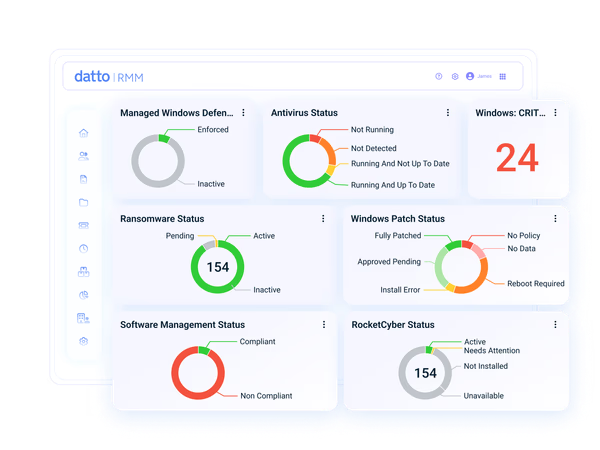
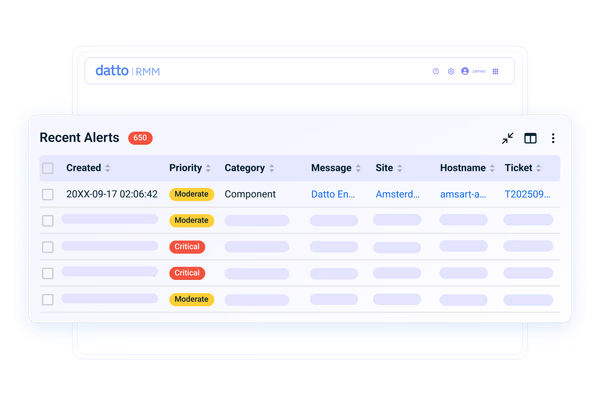
Monitor device health, availability and performance continuously. Custom dashboards, configurable alerts and automated response actions help teams identify issues earlier, focus on the conditions that need attention and act before routine problems become wider service disruptions.
"On Datto RMM automation: “It’s doing stuff by itself in the background. I don’t need to touch it.”Aidan Bennison - Service Desk Manager, Circle Cloud
Automate the repetitive work
Turn recurring conditions into repeatable action with monitors, components and dynamic device filters. Automate routine remediation, apply the right policies as devices change and reduce the number of issues that need a technician.
"Once automation is in place, it starts saving time, and it’s easy to underestimate just how much time is actually being saved."Rob Wagnon - President, Acumen Consulting
Resolve issues faster with AI insights
Use Device and Activity Log Insights, powered by Kaseya Intelligence, to turn device data into clear answers. Ask questions in natural language, identify patterns and accelerate troubleshooting without manually searching logs or switching tools.
"When we moved over to Datto RMM, things were just quicker."Mark Davies - Managing Director, Stability IT
Connect signals, context and action
Connect Datto RMM with Microsoft 365, PSA, IT documentation, backup, security and productivity tools. Integrations, webhooks and the REST API help endpoint data and actions flow into the systems that support daily IT operations.
"The integration between IT Glue and Datto RMM is second to none."Chris Swecker - Director of Managed Services, Appalachia Technologies
The industry agrees.
Users recognize that Datto RMM's intuitive interface and powerful automation provide clear device visibility and simplify remote monitoring and management.
RATED A LEADER ON G2
Consistently recognized for intuitive automation and endpoint management
"We have tried several RMM products and this has been the one we have retained the longest. No RMM is perfect (yet) but Datto RMM has delivered on our requirements." Darren H.
"I like how simple and intuitive Datto RMM is to use. It also has a robust feature set that allows for more advanced scripting and application deployment. The ability to quickly and easily manage all of our endpoints is invaluable. My favorite feature is the ability to package applications, script setting changes, and after testing, deploy them to multiple clients with just a few clicks." Justin C.
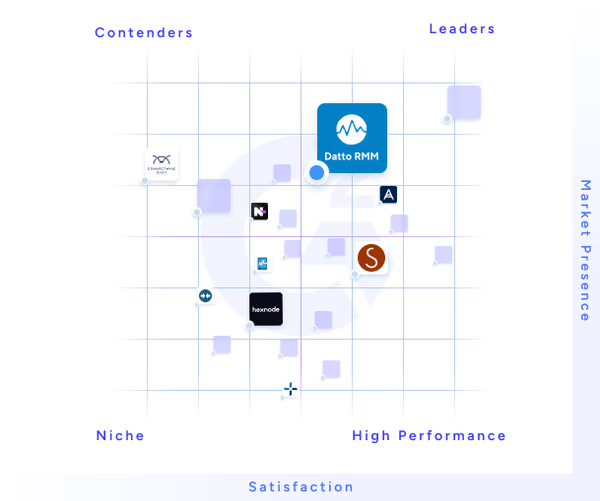
4.5/5 based on 795+ reviews

Features
RMM software capabilities for modern IT operations
Datto RMM brings endpoint monitoring, management and support into one cloud-based solution. Use policy-driven controls, built-in remote tools, Microsoft 365 workflows, network visibility and operational insights to manage distributed environments with greater consistency.

Monitoring and alerting
Get full visibility into your environment and monitor availability, performance, services, processes and other conditions across endpoints and network devices. Set thresholds by policy, prioritize alerts and trigger ticketing, webhooks or automated response actions when defined conditions are met.

Automated patch management
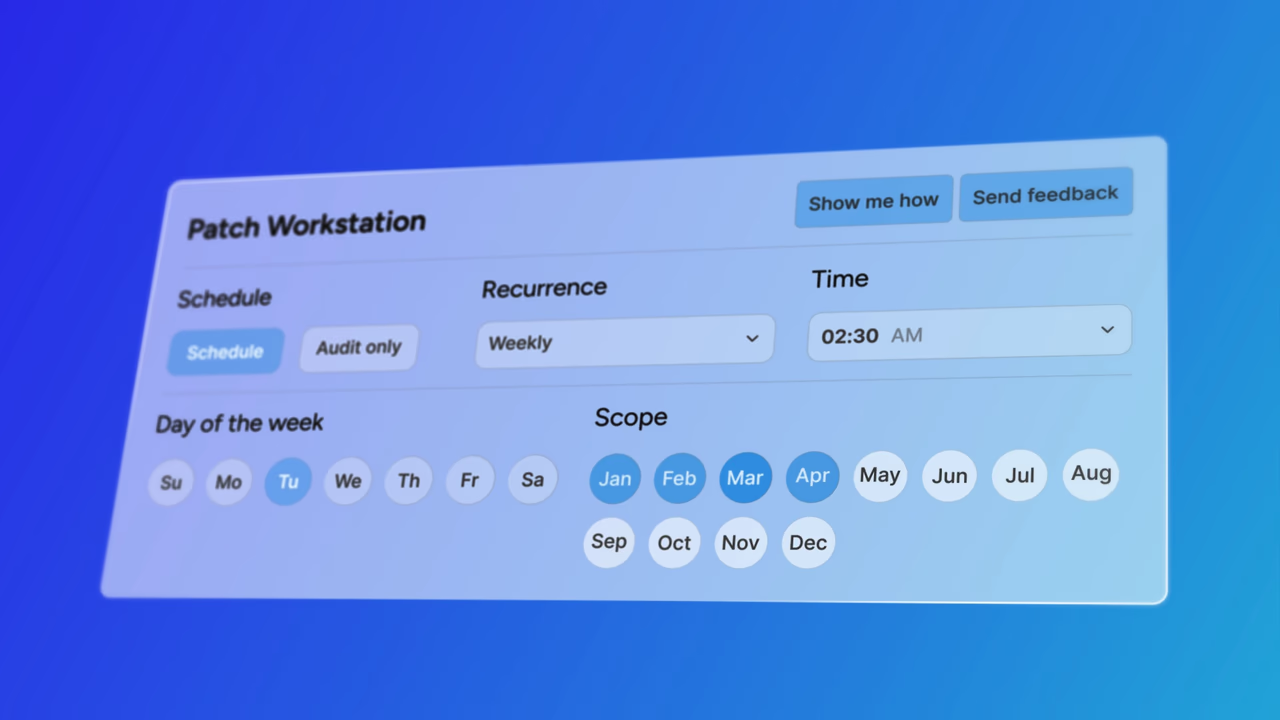
Keep endpoints current with less manual work and more control. Automate Windows patching through policies, manage macOS and Linux updates with reusable components and centralize updates for supported third-party applications.

Policy-based IT automation
Build or reuse over 500 pre-built components to install applications, run scripts and monitor device conditions. Deploy them through quick or scheduled jobs to devices, sites, filters or groups, and pair monitoring policies with response actions for repeatable maintenance and remediation.

Built-in remote access
Use Web Remote for browser-based remote control on supported Windows and macOS devices, with chat and PowerShell available where supported. Combine interactive sessions with device actions and background troubleshooting tools to investigate and resolve issues while limiting end-user disruption.

Automated ransomware detection
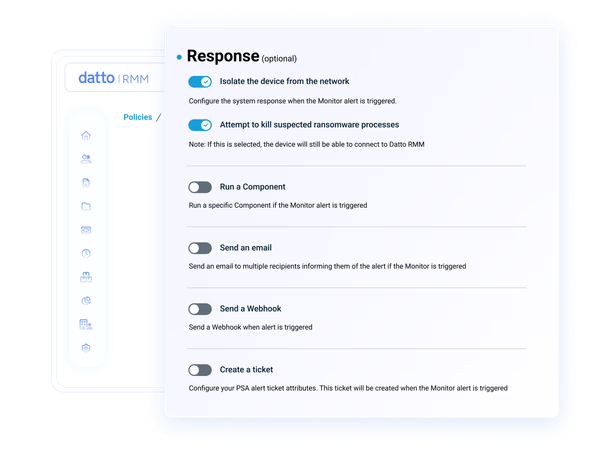
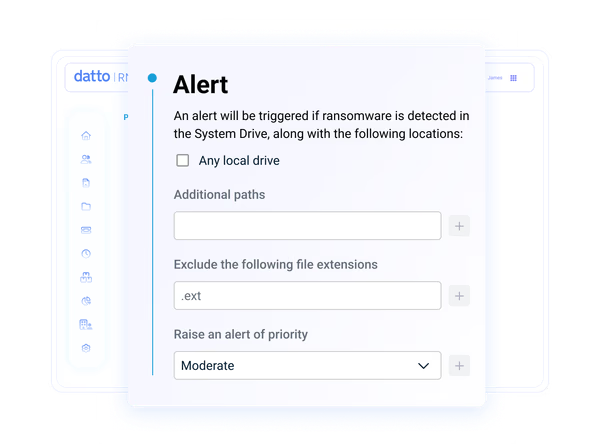
With a Ransomware Detection license, use behavior-driven monitoring on supported Windows devices to identify suspected crypto-ransomware activity. Configure alerts and optional network isolation while keeping the device connected to Datto RMM for remote investigation and response.

Microsoft 365 and Intune
Natively manage Microsoft 365 users and supported Intune-enrolled devices from Datto RMM. Reset passwords, block sign-ins, support onboarding and offboarding, run device actions and automatically deploy agents to fully enrolled Windows devices.

Network discovery and mapping
Discover devices across site subnets, configure multiple network nodes and credentials, and review results in device lists and topology maps. Monitor supported network devices through SNMP, ping and other monitors to extend visibility beyond agent-based endpoints.

FIPS 140-3 validated communications
Datto RMM 15.2 (October 2026) will introduce optional FIPS 140-3 validated cryptography for in-scope agent communications and supported Web Remote sessions. Initial availability will be through restricted access.
Kaseya 365 Endpoint
Get RMM software and much more with Kaseya 365 Endpoint
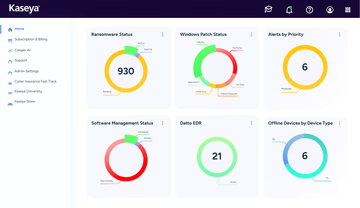
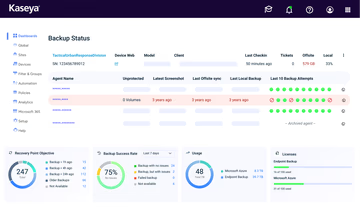
Kaseya 365 Endpoint delivers a single, integrated subscription that provides everything needed to manage, secure, backup and automate your endpoints.
Customer Success
Our commitment to you
Professional services
Kaseya's Global Services helps you get the most from your tech solutions, boost performance and achieve business goals.
24/7 customer support
Kaseya’s Direct to Tech™ delivers fast, expert-level support to help your business quickly resolve issues and minimize risk.
Partner First Pledge
Kaseya's Partner First Pledge is a commitment to flexible terms, shared risk and dedicated support for your business.
Testimonials
Hear from our customers
Real stories, real success. See how Kaseya partners thrive.

Blackline IT: Protecting people, not just systems
Read case study
Built to last How Astute turned efficiency into predictable growth
Read case study
Built on grit: How NEXTGen IT turns challenges into comebacks
Read case studySee how much manual work Datto RMM can remove
See where Datto RMM can remove repetitive work from endpoint operations. Explore how automation, dynamic targeting and connected workflows can improve monitoring, patching, remote support and service delivery across your environment.

FAQ
Frequently asked questions about RMM software
What is RMM software?
RMM software is technology designed to streamline the remote monitoring and management functions performed by IT professionals, supporting both on- and off-network devices across their IT environments.
Datto RMM is a cloud-based solution used by both MSPs and internal IT teams to enhance IT efficiency, deliver superior service management and secure network endpoints against evolving cyberthreats.
What does RMM software do?
RMM software gives IT service providers the tools necessary to automate routine tasks, monitor the health of network assets and promptly address issues to promote network stability. Key RMM functions and processes include:
- IT asset management
- Software installation and updates
- Patch management
- Mobile device management
- System maintenance
- Remote access and control
- Endpoint security hardening
Why use RMM?
RMM plays a pivotal role in modern IT management strategies by allowing IT professionals to oversee and control IT systems remotely, from anywhere. Additionally, it facilitates a shift from reactive to proactive management, significantly reducing the risk of unforeseen IT failures and enhancing the overall security posture of remote networks.
For MSPs, RMM means higher margins and better service delivery. It reduces the need for manual intervention and enables automation at scale, letting technicians manage more endpoints with fewer resources. For internal IT, it creates bandwidth by enabling teams to move faster, stay ahead of vulnerabilities and maximize operational performance.
In short, RMM helps you stay secure and get the most out of your IT resources. Whether you’re supporting hundreds or thousands of endpoints, RMM is how you scale smarter in a world where IT demands are always growing.
What is an RMM agent?
RMM platforms deploy agents, which are lightweight software components installed on servers, workstations, laptops, mobile devices and other endpoints connected to a network. These agents allow for continuous monitoring, automated management and remote access without the need for VPNs or complex firewall configurations.
Since RMM agents maintain an active connection, technicians can access real-time insights into system health and performance from anywhere at any time. This enables IT teams and MSPs to deliver fast, efficient remote support and proactive maintenance that improves overall system reliability.
How to choose RMM software?
When selecting an RMM solution, focus on features that improve operational efficiency, streamline workflows and support long-term growth. The ideal RMM should:
- Offer powerful automation with a robust script library to increase productivity and reduce manual errors
- Provide strong, built-in security features to protect sensitive data
- Be easy to onboard, regardless of your team's structure or skill level
- Deliver a user-friendly experience with intuitive navigation and task flow
- Integrate seamlessly with your existing IT stack and essential workflows like IT documentation, PSA, security and backup
- Be priced to deliver strong ROI and lasting value
- Scale as your business grows, adapting to evolving IT demands
Datto RMM stands out by offering an all-inclusive solution that checks all the boxes. It combines powerful automation, proactive endpoint management and security in one unified platform to create a cohesive IT management experience. With seamless onboarding and flexible scalability, Datto RMM enables IT teams and MSPs to drive productivity and deliver more value with fewer resources.
How can RMM improve IT efficiency?
RMM software is built to help IT service providers do more in less time, without compromising performance, visibility or control. Here are the key ways RMM improves IT efficiency across the board:
- Gain proactive visibility across your environment: RMM delivers real-time monitoring across all endpoints, helping IT teams detect and prevent issues before they cause downtime.
- Accelerate resolution with automation: Automate common tasks like patching, ticketing and scripting to reduce manual workloads and speed up resolution.
- Unify workflows to save time: Connect with PSA, documentation, backup and security tools to manage everything from a single platform and reduce time spent switching between systems.
- Secure endpoints without extra steps: Protect endpoints with integrated tools like EDR, antivirus and managed SOC while managing them from one place.
- Enable mobile IT management: Use mobile access to monitor systems, run scripts and manage tickets on the go. This keeps teams responsive and efficient.
Does RMM software help with network stability?
Yes, RMM software contributes significantly to maintaining network stability by enabling early detection and resolution of issues that could disrupt operations. Through constant monitoring and alerting, it allows IT teams to identify irregularities, performance dips or potential threats before they impact the network.
In addition to real-time insights, RMM tools apply updates, manage patches and enforce system policies consistently across devices. This consistency reduces vulnerabilities and configuration errors, which are common causes of instability. With centralized control over your IT environment, RMM helps ensure that systems remain secure, reliable and fully optimized for performance.
What is Datto RMM?
Datto RMM is a cloud-based remote monitoring and management solution for MSPs and internal IT teams. It centralizes endpoint visibility, monitoring, alerting, patching, automation, remote support, reporting and integrations so teams can manage distributed environments from one console.
What does Datto RMM monitor?
Datto RMM monitors supported Windows, macOS and Linux devices, plus network devices, printers, ESXi hosts and Datto Continuity devices. Depending on the device type and monitor, it can track online status, CPU, memory, disk, services, processes, event logs, software, SNMP data, antivirus status and, when licensed, suspected ransomware activity.
What is Datto RMM used for?
Datto RMM is used to monitor and manage endpoints remotely, automate maintenance and remediation, deploy patches and software, support users, discover networks, report on device health and connect endpoint data with service, security and documentation workflows. MSPs use it across client environments, while IT departments use it across their own sites and users.
Ready to get started?
Request a demo to see how Datto RMM will supercharge your remote monitoring and management.