Datto Workplace
Compartilhamento de arquivos para uma colaboração integrada
A colaboração e o trabalho em equipe estão mais fáceis do que nunca com o Datto Workplace, a solução de sincronização e compartilhamento de arquivos corporativos (EFSS) da Kaseya. Mantenha os arquivos acessíveis e protegidos para todos os usuários e em todos os locais, com compartilhamento seguro e eficiente e medidas de proteção robustas.
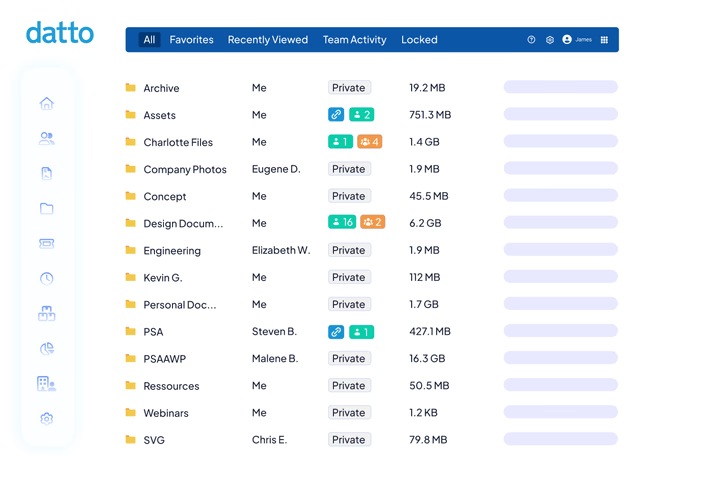
Por que escolher o Datto Workplace?
Sincronize e compartilhe arquivos com segurança
O Datto Workplace foi desenvolvido para combater os riscos do compartilhamento de arquivos em equipes de trabalho híbridas, mantendo os dados protegidos enquanto os usuários colaboram entre locais físicos e remotos.
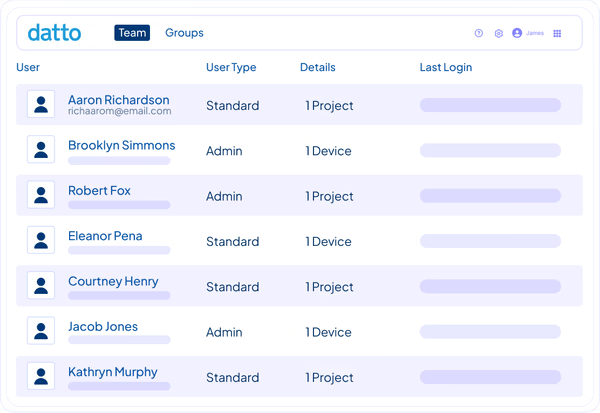
Trabalhe em qualquer dispositivo, em qualquer lugar
Acesse seus arquivos em tempo real, independentemente de onde estejam armazenados — no local ou na nuvem. Trabalhe no desktop, na web ou em dispositivos móveis, seja no Windows, macOS, iOS, Android ou Windows Server. Substitua ferramentas tradicionais, como VPN e FTP, pelo Datto Workplace para uma forma mais rápida e segura de colaborar.
"O Datto Workplace nos permite implementar medidas como o controle de acesso baseado em funções (RBAC), gerenciamento centralizado e apagamento de dispositivos — tudo o que uma equipe profissional de TI precisa para gerenciar dados de forma eficaz. Isso não é possível com outros produtos."Bob Pankratz – Fundador e CEO, TechNosis
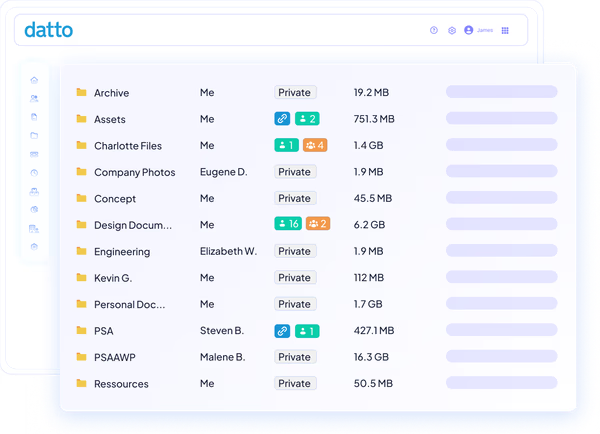
Detectar ameaças de forma proativa
Impedir que ransomware e malware transformem a sincronização e o compartilhamento de arquivos em uma zona de desastre. Ao executar varreduras contínuas, uploads suspeitos e padrões de alteração são imediatamente sinalizados, e os arquivos afetados são automaticamente colocados em quarentena. Os administradores são notificados imediatamente, e o conteúdo é rapidamente restaurado ao seu estado original.
"A rede doméstica é mais vulnerável; precisávamos de um produto que nos permitisse elevar o nível de segurança em casa. Tem sido uma ótima parceria desde o início."Terry Bryson – Proprietário, The Local Guy
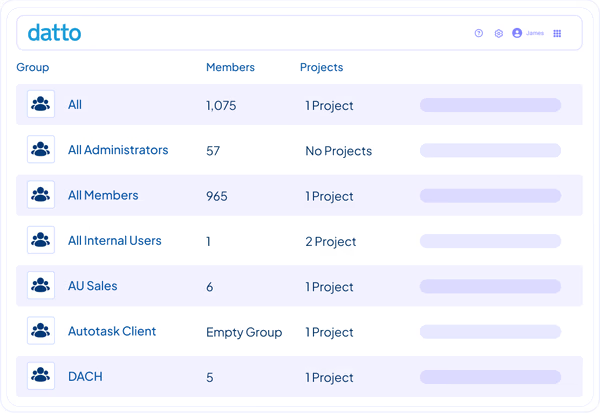
Manter a segurança e a conformidade
Mantenha seus arquivos protegidos e prontos para auditorias com uma infraestrutura de nuvem segura que oferece 99,99% de tempo de atividade, criptografia de 256 bits para dados em repouso e em trânsito, data centers georedundantes, controle de acesso baseado em funções (RBAC), verificações de informações de identificação pessoal (PII) e conformidade nativa com as normas HIPAA, GDPR e SOC 2.
"Foi uma virada de jogo para nossos clientes, permitindo que eles replicassem dados de forma integrada entre vários locais e na nuvem. É fácil de implementar e possui muitos recursos úteis e, o mais importante, ‘simplesmente funciona’. É simples e fácil de usar, e é exatamente isso que as pessoas querem e precisam."Alex Eissler – Diretor de Operações, Vicinity
Recursos
Vá além do compartilhamento de arquivos

Controles de acesso baseados em políticas
Configure controles granulares e baseados em políticas que concedam aos usuários certos o nível adequado de acesso. Defina permissões individuais e por grupo entre clientes ou equipes, gerencie conjuntos de recursos e controle quem pode compartilhar arquivos novamente ou criar links públicos.

Gestão centralizada
Gerencie todas as implantações de compartilhamento de arquivos a partir de um único portal em nuvem multilocatário para obter controle administrativo total. Acompanhe equipes e armazenamento, gerencie licenças, ajuste configurações para alertas e relatórios automatizados e configure integrações sem precisar alternar entre ferramentas.

Controle de versões de arquivos por 180 dias
Reverta erros e arquivos comprometidos sem precisar vasculhar os backups. Sempre que um arquivo é alterado, uma nova versão é criada automaticamente e mantida por seis meses. É fácil recuperar um estado anterior caso os arquivos sejam acidentalmente excluídos, alterados ou corrompidos.

Integrações de fluxo de trabalho
Facilite a adoção e aprimore a forma como as equipes já trabalham por meio de integrações avançadas com o Microsoft 365, o Teams e o Outlook. Conecte o Active Directory e o SSO SAML 2.0 para automatizar a integração e a desligamento de funcionários e sincronize com ferramentas de PSA e RMM para otimizar a gestão de tickets e o gerenciamento.

Implantação do trabalho híbrido
Conecte o escritório à nuvem com o componente opcional do servidor “ Workplace ”, que amplia o alcance dos servidores de arquivos e do armazenamento conectado à rede (NAS) para usuários remotos e móveis. O bloqueio de arquivos e o gerenciamento de conflitos mantêm as equipes do escritório e as remotas em sincronia durante a colaboração.

Relatórios abrangentes
Obtenha resumos detalhados de atividades que abrangem alterações de configuração, ações dos usuários, gerenciamento de arquivos e pastas, compartilhamento e muito mais. Salve relatórios personalizados, programe o envio por e-mail ou unifique a geração de relatórios entre as soluções existentes por meio da integração com o myITprocess.
Sucesso do Cliente
Nosso compromisso com você
Serviços profissionais
Os Serviços Globais da Kaseya ajudam você a aproveitar ao máximo suas soluções de tecnologia, melhorar o desempenho e atingir suas metas de negócios.
Suporte ao cliente 24 horas por dia, 7 dias por semana
O Direct to Tech™ da Kaseya oferece suporte rápido e de nível especializado para ajudar sua empresa a resolver problemas rapidamente e minimizar riscos.
Partner First Pledge
O programa “ Partner First Pledge ” da Kaseya representa um compromisso com condições flexíveis, risco compartilhado e suporte dedicado para a sua empresa.
Depoimentos
Veja o que dizem nossos clientes
Histórias reais, sucesso real. Veja como os parceiros da Kaseya prosperam.

Blackline IT: Protegendo pessoas, não apenas sistemas
Leia o estudo de caso
Feito para durar: como a Astute transformou a eficiência em crescimento previsível
Leia o estudo de caso
Construído com determinação: como a NEXTGen IT transforma desafios em reviravoltas
Leia o estudo de casoPerguntas frequentes
Perguntas frequentes sobre sincronização e compartilhamento de arquivos corporativos
O que é o EFSS?
A sincronização e o compartilhamento de arquivos corporativos (EFSS) são um tipo de software que permite aos usuários armazenar, acessar e colaborar em arquivos empresariais em diversos dispositivos e locais, mantendo esses dados protegidos. Ao contrário dos aplicativos de compartilhamento de arquivos voltados para o consumidor, as soluções EFSS são desenvolvidas para uso corporativo, com administração centralizada, permissões e medidas de conformidade.
Quais são os benefícios de usar o EFSS?
Os benefícios do EFSS geralmente se enquadram em três categorias:
- Produtividade: As equipes têm acesso consistente aos arquivos a partir de qualquer dispositivo ou local. Isso elimina o incômodo de enviar anexos por e-mail, evita a necessidade de manter conexões VPN e facilita a localização da versão mais recente de um documento.
- Segurança: A equipe de TI passa a ter controle centralizado sobre quem pode visualizar, editar e compartilhar cada arquivo. Além disso, os recursos de criptografia, detecção de ameaças e conformidade reduzem o risco de perda ou exposição de dados.
- Visibilidade: A liderança obtém uma visão sobre como as informações circulam pela empresa, o que facilita a realização de auditorias, investigações e relatórios regulatórios.
Como faço para escolher o EFSS certo?
Ao avaliar uma solução EFSS, procure por recursos que atendam tanto à colaboração no dia a dia quanto aos riscos de longo prazo. Os principais aspectos a serem priorizados incluem amplo suporte a dispositivos e sistemas operacionais, controles granulares de permissão, padrões robustos de criptografia e certificações de conformidade relevantes para o seu setor. Detecção integrada de ransomware, controle de versões de arquivos e registros de auditoria são essenciais para recuperação e governança, enquanto integrações com ferramentas como o Microsoft 365, o Active Directory e seu PSA ou RMM mantêm a administração eficiente. Os MSPs também devem buscar multilocação, faturamento flexível e suporte confiável do fornecedor.
O EFSS é diferente do armazenamento em nuvem?
O EFSS e o armazenamento em nuvem estão relacionados, mas são diferentes. O armazenamento em nuvem consiste basicamente em manter arquivos em um local remoto para que possam ser acessados posteriormente. É como um arquivo digital. O EFSS se baseia nesse princípio, acrescentando as camadas de colaboração, sincronização e governança de que as empresas precisam.
Pronto para começar?
Solicite uma demonstração para ver como o Datto Workplace permite o compartilhamento seguro de arquivos para qualquer empresa.