Kaseya RMM Solutions
Network Monitoring
Standard SNMP Device Monitoring Made Easy
Why Kaseya RMM Solutions?
Maintain IT Service Availability with VSA Network Monitoring
Network monitoring is a key function for maintaining IT service availability. It allows IT teams to rapidly detect and respond to an IT issue involving a network device, such as a router or switch, that could disrupt a service.
Kaseya VSA provides standard SNMP device monitoring for routers, switches and printers. Our “zero configuration” standard SNMP monitoring means you have only one thing to do to enable this function.
Simply check a box in VSA.

Easy SNMP device monitoring
Check a box to enable standard SNMP device monitoring in VSA. Easily monitor routers, switches and printers.

Quickly Respond to Alerts
Quickly detect and respond to network device alerts. Resolve IT incidents to maintain system and service availability.

Automatically Take Action
Automatically take action when an alert occurs — create an alarm, generate a ticket and/or send an email notification.
Monitor Network Devices
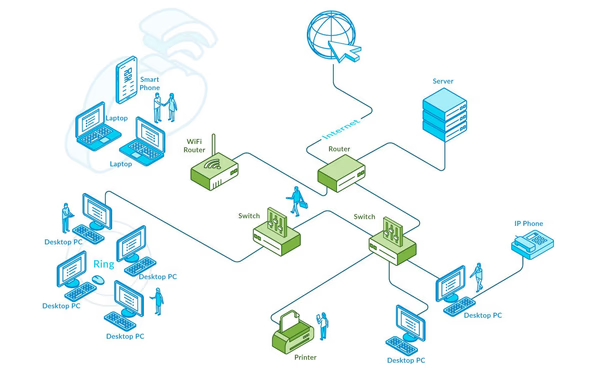
VSA automatically configures standard SNMP monitoring using best practice-based thresholds. It provides SNMP monitoring for the following devices:
- Network Devices (Routers, Switches): Collect interface metrics for operational status, bandwidth in and out, and errors in and out.
- Printers: Printer Operational Status, Printer Current Status, Detected Error State, Printer Cover Status (1st door).
Network topology map
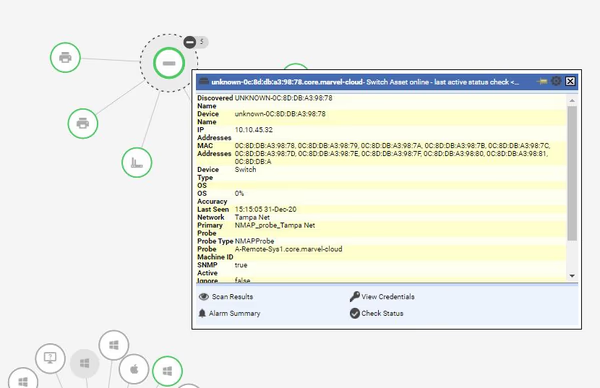
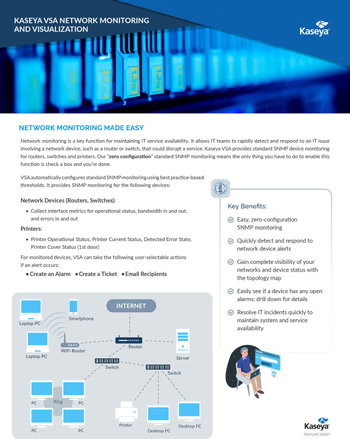
View up/down status and alarms for network devices on the topology map. Access the QuickView window for more details on the device, including device name, device type, IP address, MAC address, OS, probe type, Asset GUID and more.
Network monitoring actions
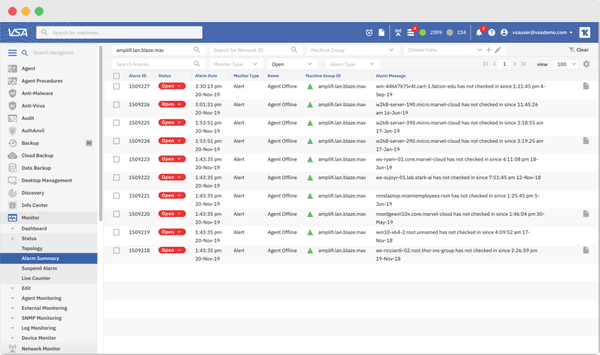
For monitored devices, VSA can take the following user-selectable actions if an alert occurs:
- Create an Alarm
- Create a Ticket
- Email Recipients
Quickly jump to the Alarm Summary page (see screenshot) from the Topology Map to see active alarms for a specific device.
VSA Network Monitoring and Visualization
Kaseya’s zero-configuration network monitoring makes it easy to perform standard SNMP device monitoring for routers, switches and printers on your networks.
Features
Keep all of your IT systems and services up and running with the following process and VSA capabilities
VSA is a Unified Remote Monitoring and Management solution that allows you to easily monitor and manage ALL of your endpoints and network devices to maintain service availability.

Network Monitoring
Monitor key endpoints, such as servers, and all network devices

SNMP Alert Notifications
When an alert occurs on an SNMP Device, it can automatically generate an alarm, ticket and/or email notification

Identify devices with open alarms
Use the VSA Network Topology Map to identify devices with open alarms—see the red alarm badge on the node

VSA QuickView Window
Get detailed asset information from the VSA QuickView Window (accessible from the topology map and other places in VSA)

Quick alarm navigation
Jump directly from VSA Network Topology Map to the VSA Alarm Summary page to quickly get more details on the active alarms for that device

Closing the Service Ticket
Once you have resolved the network device issue you can close the service ticket (if one was created)